AI Agent Repair Loop
Defining how Front admins monitor, trust and improve their AI agents.
Company
Front
Duration
6 weeks
Project phase
1
Year
2026
tl;dr: Front made a big bet called Bring Your Own Agent (BYOA): customers could run external AI agents alongside Front’s own Autopilot. At the time, Autopilot agents were mostly on draft mode, and Admins didn't trust them enough to move them to auto-reply mode. I designed the performance and fix layer that every AI agent (native or third-party) needed. It shows where each agent fails, what needs to be fixed, and has Front’s AI draft the fix so the admin only has to approve it.Within four weeks, these were the results:
+13pp
AI answers resolution rate (26% → 39%) for accounts acting on opportunities
+4pp
fully autonomous AI agents (15% → 19%)
90%
of AI-suggested fixes approved as is (across the ~50% of opportunities admins acted on)
+13pp
AI answers resolution rate (26% → 39%) for accounts acting on opportunities
212 admins
actively using it, across 140 accounts (15 Enterprise)
1 deal
closed as a direct result, with another in the pipeline
Roadmap
Team & role
Small team, end-to-end ownership
The team







My role
- Customer research & benchmark
- Run design reviews & critiques
- Concept ideation
- End-to-end design
- Design QA and dev support
about front
The AI-first customer operations platform
Front is an AI-powered customer operations and shared inbox platform that unifies customer communications into a single collaborative interface, using automated workflows and AI to resolve complex customer requests.

the initiative
BYOA pillars and cross-team collaboration
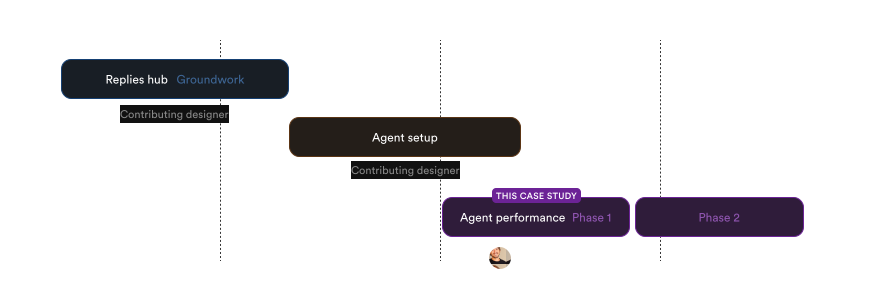
BYOA was built in three pillars: browsing AI replies, setting agents up, and monitoring and improving them. I contributed to the first two and led design on the third.
Replies Hub
ContributorBrowse every AI draft and auto-reply, with the scoring and feedback behind it.
Agent setup
ContributorConnect an agent and define its name, avatar, boundaries, guidance and knowledge sources.
Agent performance
Lead designer
Monitor each agent’s health and fix what’s holding it back.
Business opportunity
Agent monitoring: nice-to-have → deal-breaker
Market shift
Support platforms are racing to build tools that monitor and improve AI agents, like Intercom’s Fin Operator, Sierra’s Ghostwriter and others. Agent performance became a deal-breaker.
Revenue at risk
Sales flagged several large accounts passed on Front for not being able to bring their own agents. While researching Admin Copilot, I also spoke with two large customers who were churning for this reason.
Growth lever
Admins who trust their agent move it from draft to auto-reply and widen its coverage, driving not only automation adoption, but AI revenue as well.
Research
Quality gets agents ready. Trust gets them live.
In conversations with admins running AI agents, the biggest concern was letting the agent loose on customers. Most kept it in draft mode, giving up the efficiency they’d launched it for. Without seeing where the agent failed and whether it was getting better, switching to auto-reply felt like a leap of faith, and it often ended with the agent rolled back to drafts.
Learnings
- Admins wouldn’t let agents auto-reply until they were sure they could trust their replies.
- Improving an agent’s replies took a lot of digging and trial and error. Admins needed a system to tell them what is wrong, why, and how to fix it.
Goals
What success looks like
+10pp
AI answers resolution rate for accounts acting on opportunities At the time, only 26% of Front's Autopilot agents were fully autonomous
+15pp
share of fully autonomous AI agents 4 weeks after launch As the time, only 15% of AI agents are set to auto-reply
75%
of fix opportunities acted on approved as isAs it was a completely new system, our assumption was that it had to evolve from trial and error and user feedback
The repair loop
A system learning from every reply
Every AI reply feeds a cycle: it gets scored, failures get diagnosed and grouped, and each fix makes the agent's next replies better.
groundwork
AI replies' scoring system
Before admins could fix their AI agents, they needed a reliable way to judge them. So the groundwork for the repair loop was a scoring system that grades every AI reply.
It starts in the Replies hub, where admins can browse every AI-generated draft or auto-reply. Opening the reply details shows everything behind it:
- The sources the agent used to write it
- Teammate and AI-inferred feedback
- Draft edit level (when applicable)
- CSAT
Signals roll up into a single quality score
Good: A draft sent without edits or with only light edits, or any reply a teammate marked as correct
Okay: A heavily edited draft with no issues flagged, or an auto-reply with no issues flagged
Poor: Any reply with an issue flagged, either by a teammate or inferred by AI
No signal: No teammate or AI-inferred feedback
This created one consistent language for quality, and it’s what made the repair loop possible: every Poor reply comes with a reason attached, resulting in discernible patterns that later become opportunities to fix.
Admins can browse through all the AI agent's drafts and auto-replies, and open a reply to see all details related to its quality score.
From signal to diagnosis
Every failure maps to one of four gaps
To make failures fixable, we needed a model of why AI agents fail. Working with the AI and engineering teams, we landed on four gap types, each with its own tell-tale signal and its own fix:
| Knowledge gap | Data gap | Action gap | Instruction gap | |
|---|---|---|---|---|
| Issue | The content the agent needs is missing, wrong or outdated. | The agent lacks access to a system it needs. | The agent understands the request but can't act on it. | The agent is configured to behave the wrong way. |
| Signal | A teammate corrects the agent with specific facts, or a topic keeps getting handed off with no matching article. | The human reply includes IDs, dates, amounts or statuses that couldn't come from the conversation alone. | The agent says "you'll need to…" or "please contact us," and a teammate does it instead. | A teammate rewrites the reply's tone, length or scope, or adds or removes an escalation. |
| Fix | Draft or update a knowledge base article. | Connect the system or grant read access. | Enable the workflow or action, with guardrails. | Update the agent's guidance or rules. |
Front’s AI reads each Poor reply and assigns it a gap type. Similar replies are then grouped together into a single opportunity, and ranked by how many conversations it affects. Admins then see their highest-impact problems first.
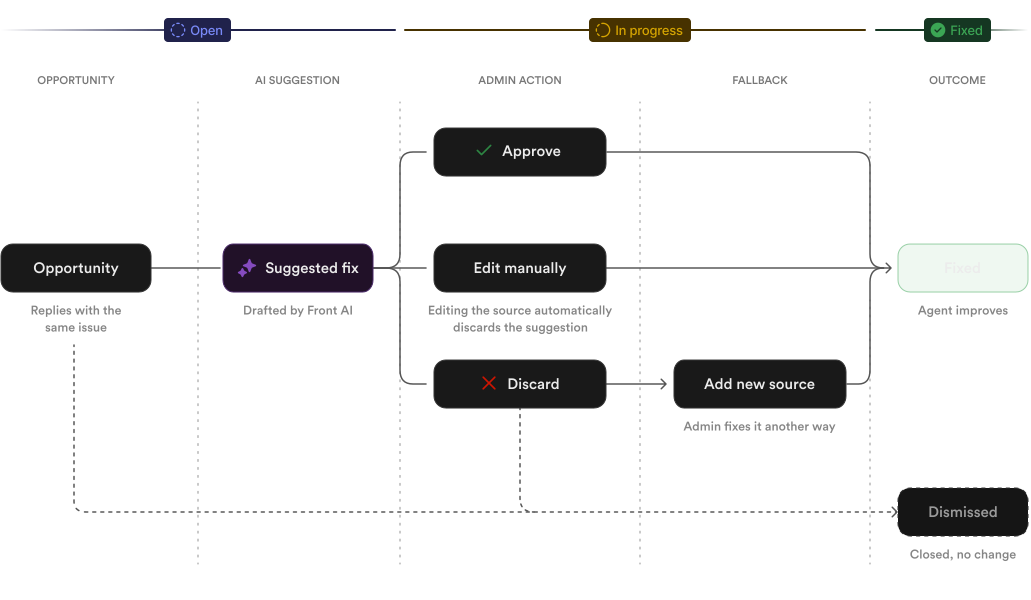
Opportunity lifecycle
Rejecting a fix is not ignoring the problem
the solution
The Performance dashboard
Monitoring agent health, at a glance
Metrics show how autonomous, efficient and accurate the AI agent's responses are.
Overview of the Reply quality chart, encompassing Quality rating and Draft edit level.
Opportunity fixes just a few clicks away
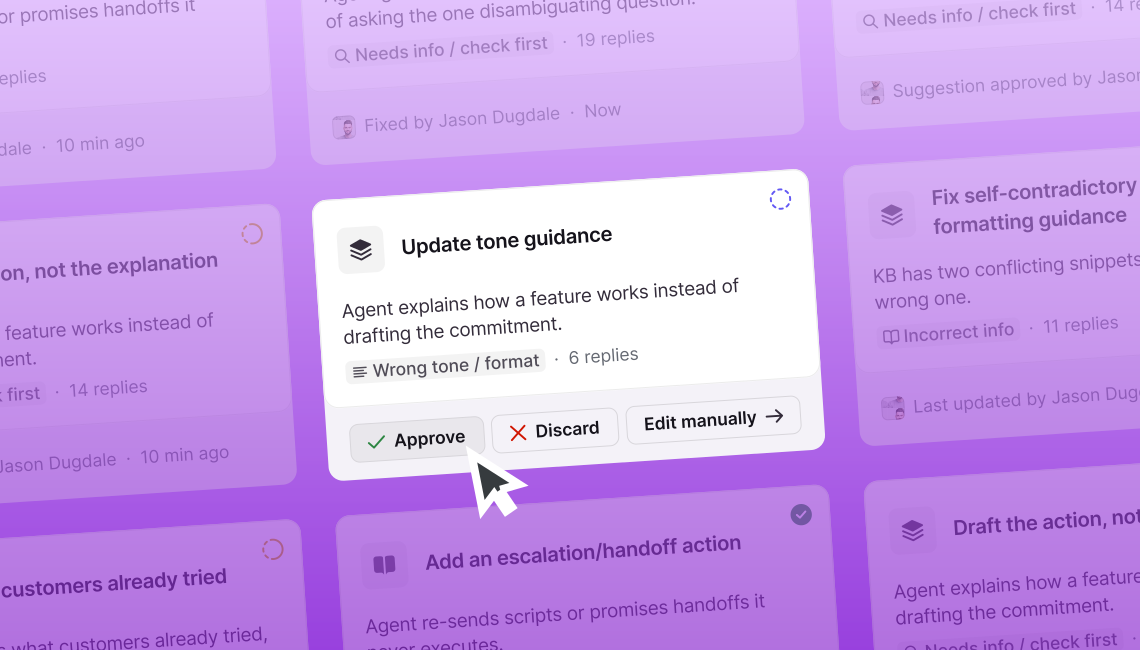
Admins don't have to guess or dig too deep. Front AI automatically suggests the right solution.
Approve a suggestion and mark the opportunity as fixed.
The type of fix depends on what caused the problem:
- Knowledge: create, update or archive help center articles or notes.
- Guidance: add or clarify an instruction, like asking for diagnostics before troubleshooting.
- Tone: adjust how the agent writes.
- Knowledge access: give a playbook or prompted reply access to existing knowledge it wasn’t using.
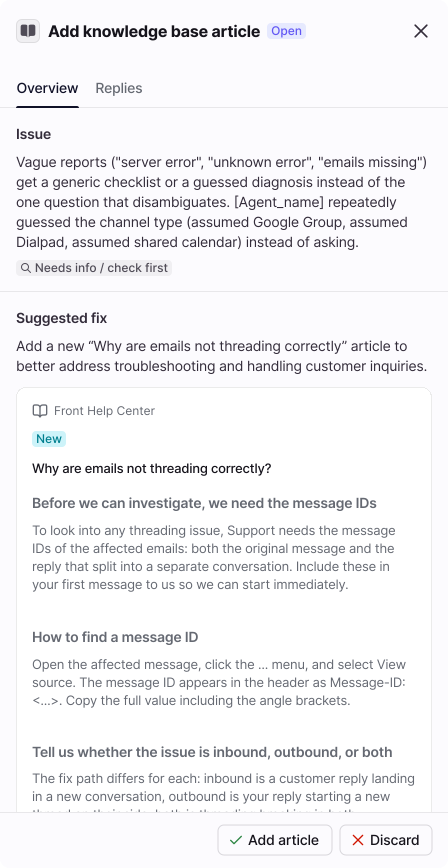
New article suggested
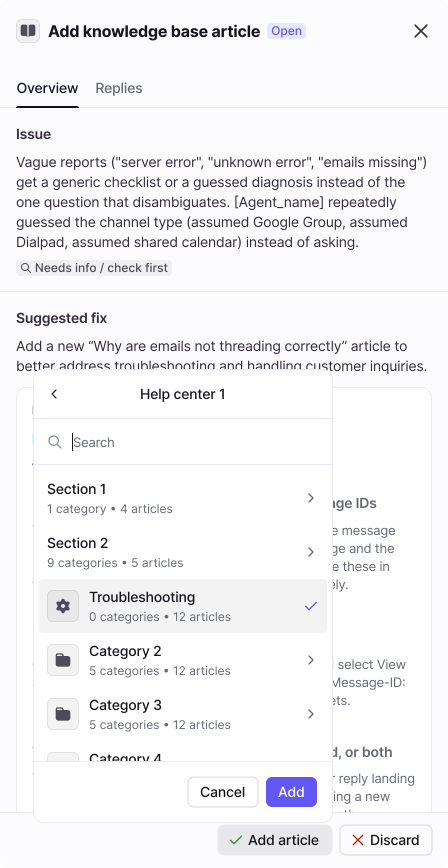
Add article to specific Help Center location
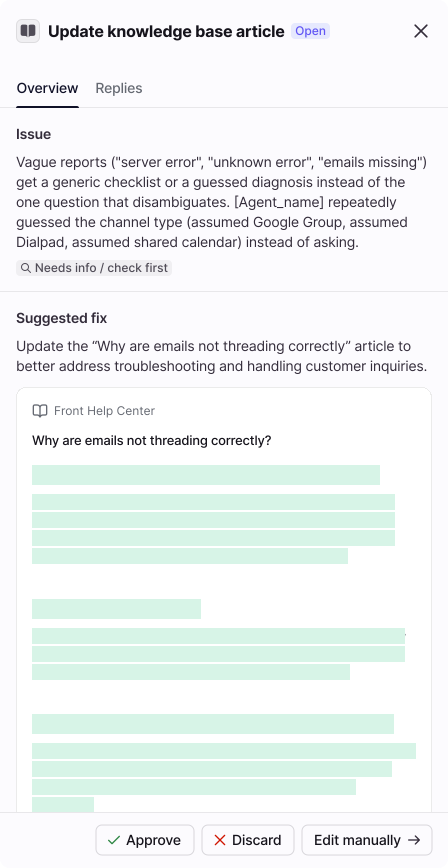
Article update suggested
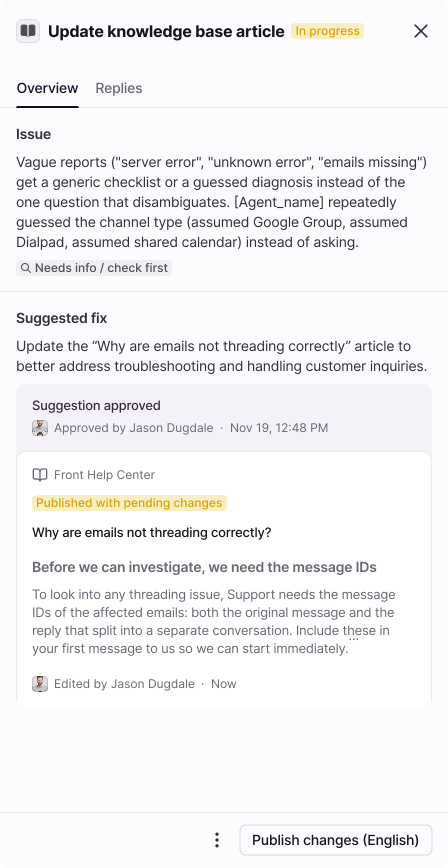
Suggestion approved · Opportunity in progress
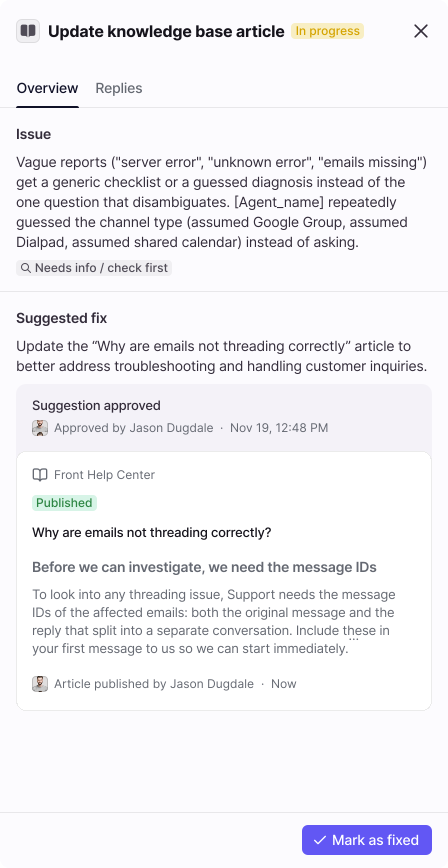
Article updates published
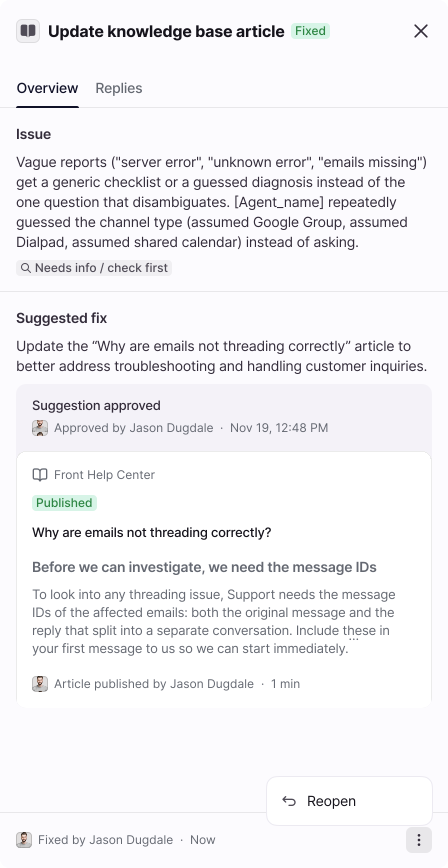
Opportunity fixed
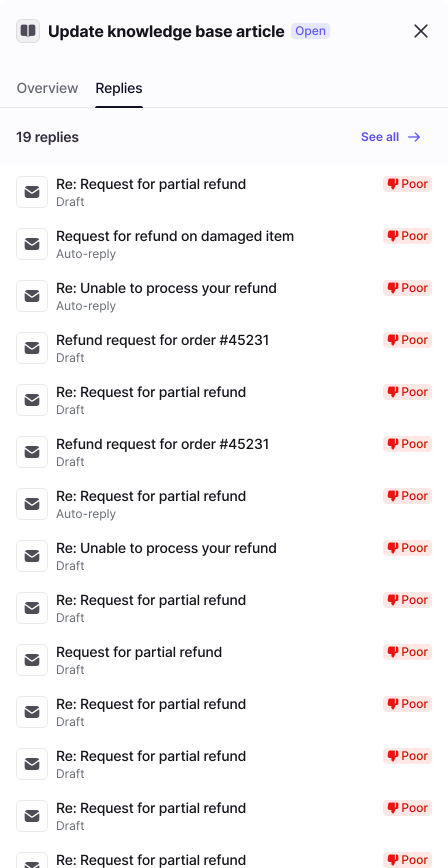
Replies sharing the same opportunity
Discarding a suggestion comes with a fallback
If the suggestion doesn't work, admins can manuallt fix the issue by adding new sources.
Discard a suggested fix and add another source as a secondary solution.
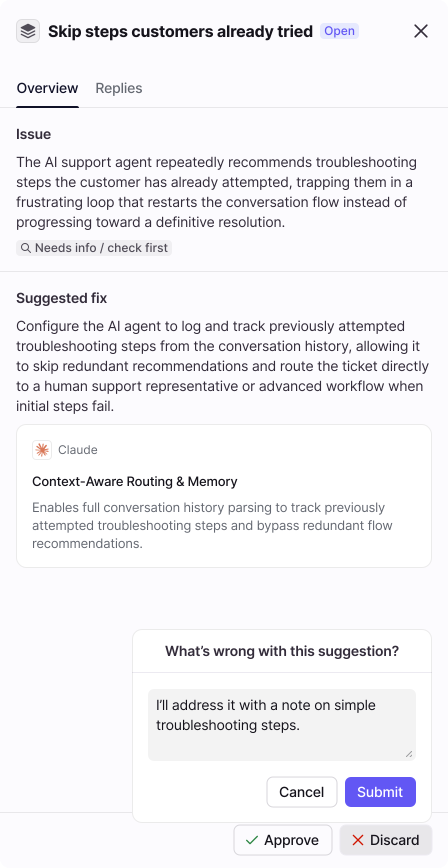
Provide details on why discarding the suggestion
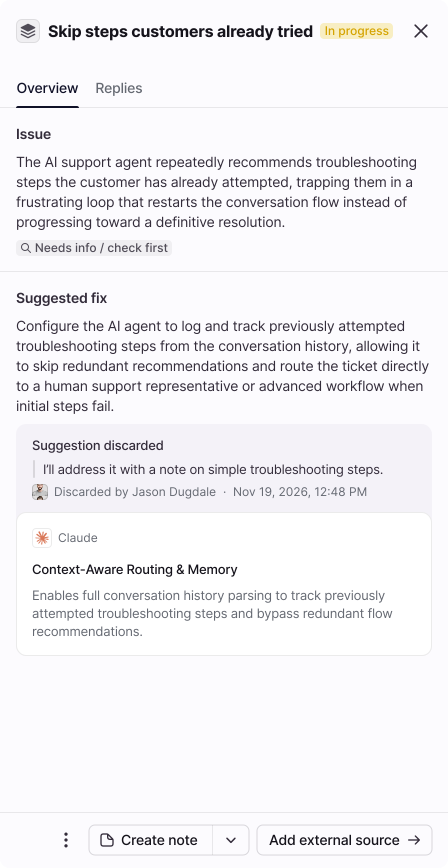
Suggestion discarded + fallback actions
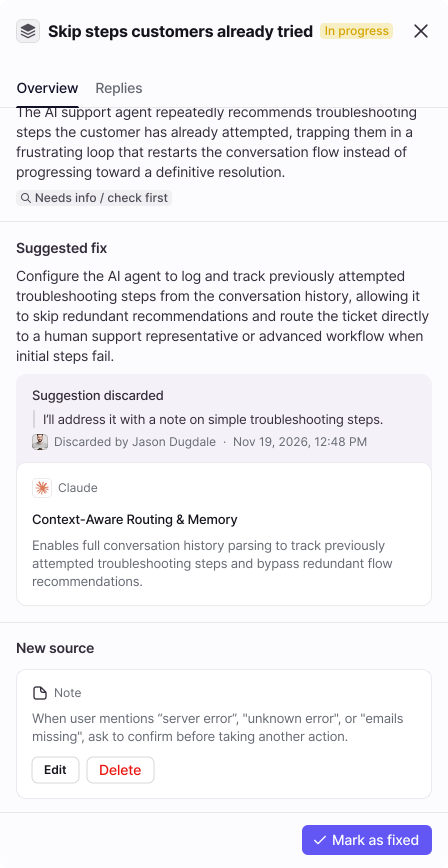
New source added
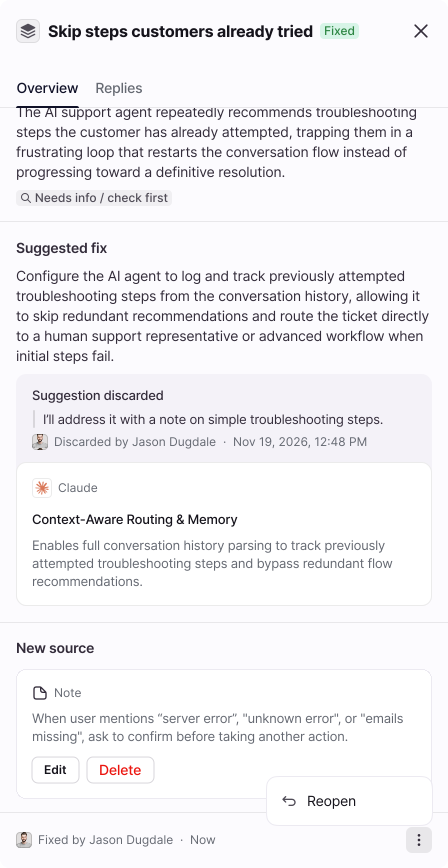
Opportunity fixed
key decisions
Design-led decisions, from draft to launch
Customer calls, Front’s existing patterns and engineering constraints all shaped the product, but these are the moments where design pushed it further. Most made it into the release, and one was parked for a later version.
Every agent gets a home
starting point
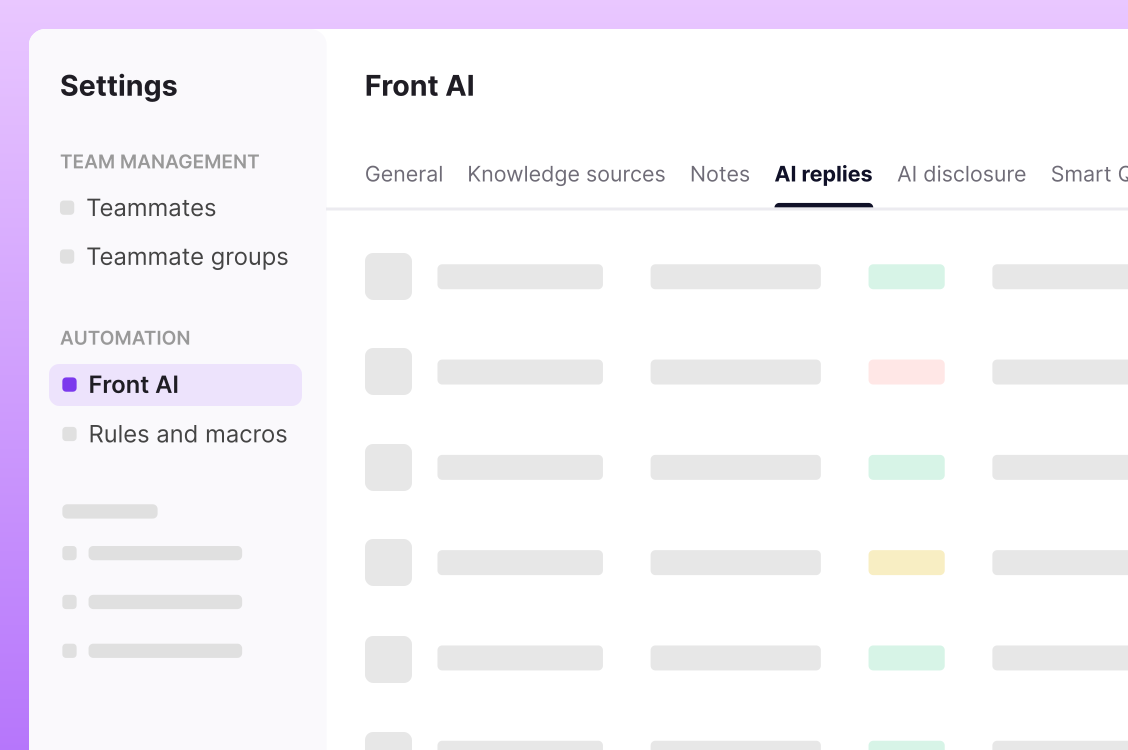
With BYOA, each agent got its own profile under Team management for setup and performance. But its replies still lived under Automation › Front AI, so managing an agent and checking its replies happened in two completely separate places.
what shipped
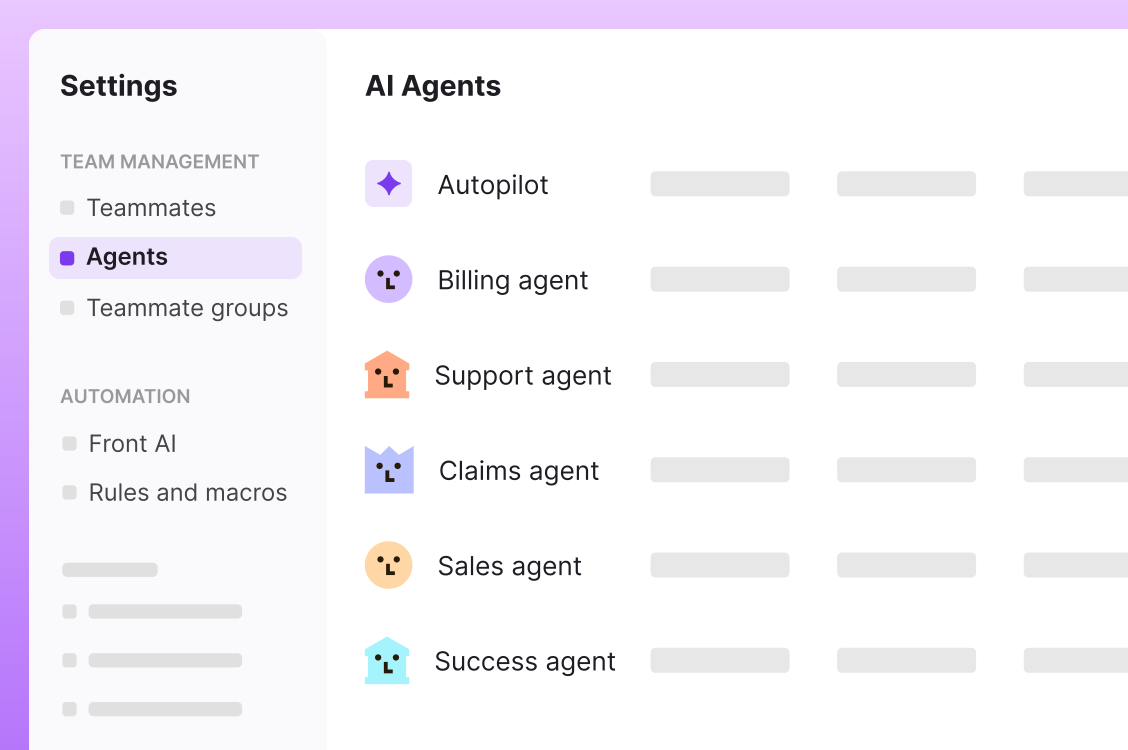
I pushed to move replies into each agent’s profile, next to its performance. Replies explain performance, so admins can now go from a drop in quality to the replies behind it without ever leaving the agent's hub. It’s also cleaner from an architectural standpoint.
Agent metrics
starting point
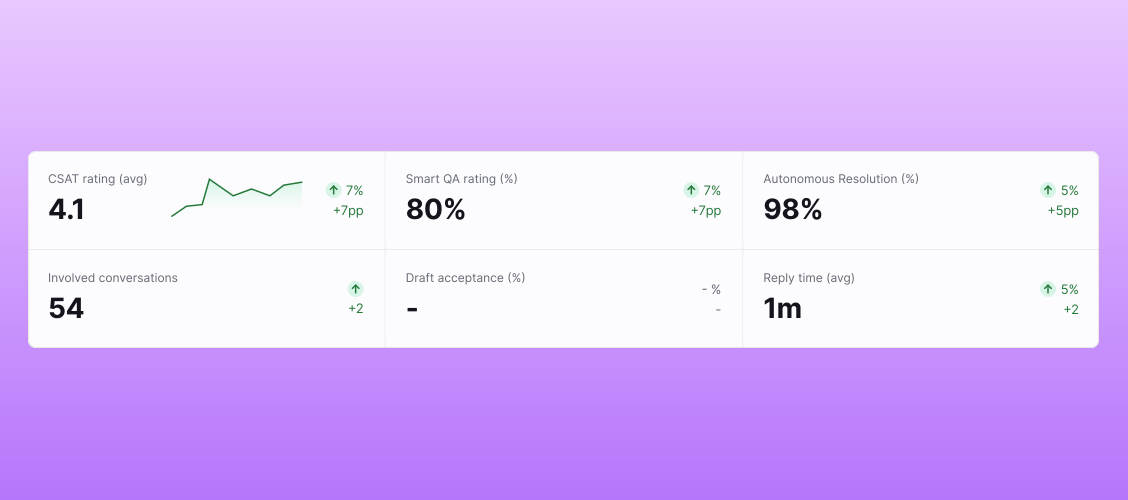
Key metrics only, following Front Analytics’ standard layout. But customer calls showed that that wasn’t enough: account admins judged agent health mostly by the quality of its replies.
what shipped
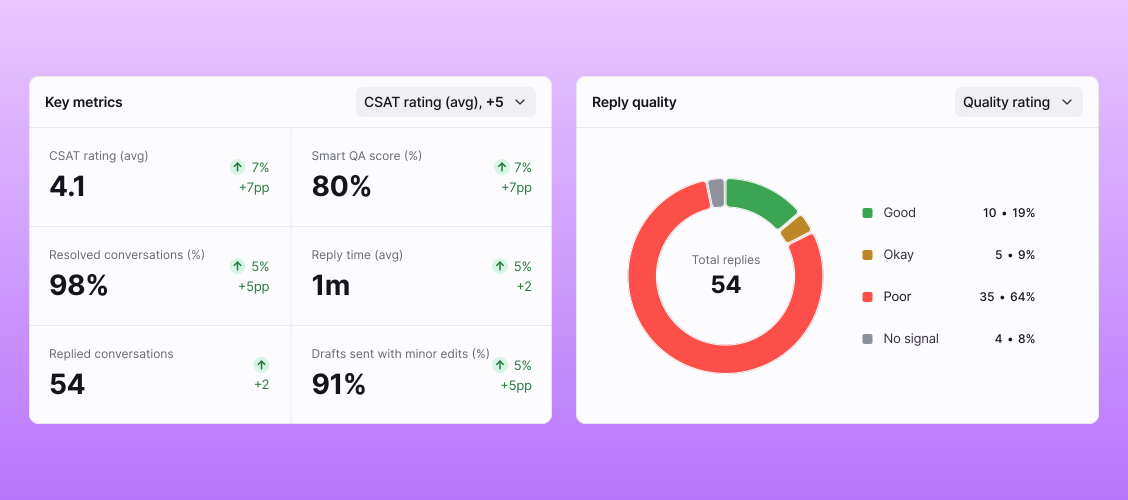
Customers needed a single place to see reply quality, so I proposed and designed a Reply quality chart covering both auto-replies and drafts, with a more compact key metrics panel, a new layout I aligned with the Analytics team.
Opportunities layout
starting point
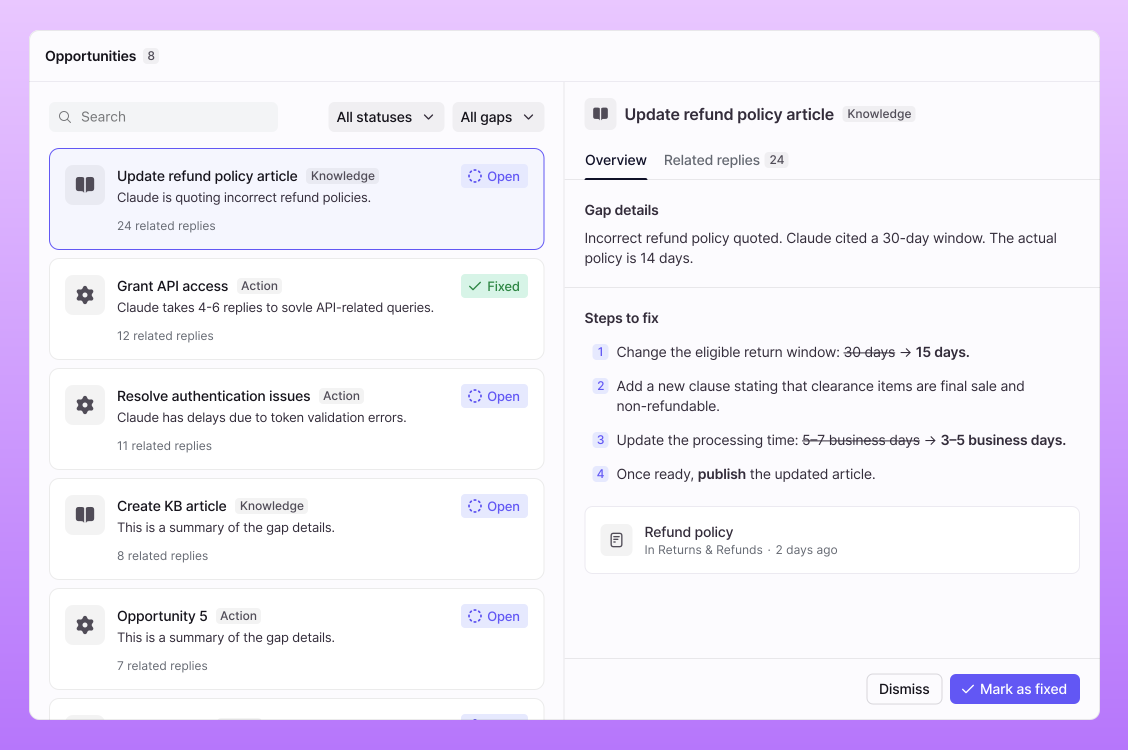
A split view, with opportunities on the left and details on the right. Everything was visible at once, but multiple scroll areas and fixed panels made it tiring to use.
what shipped
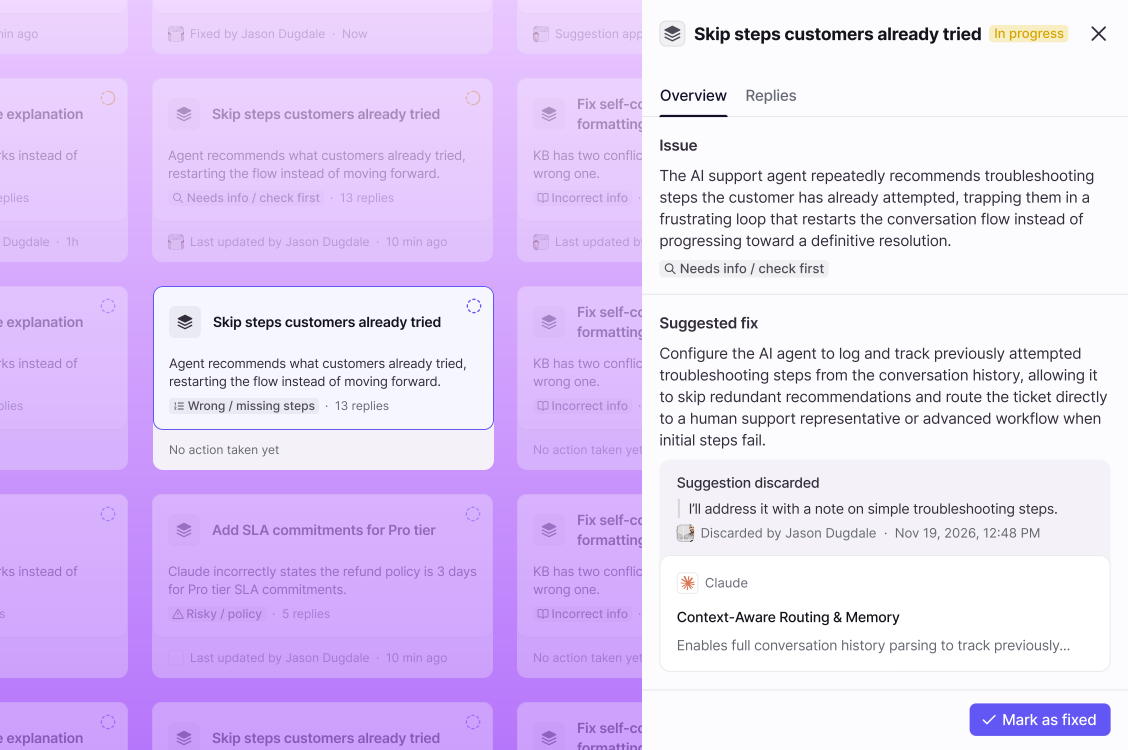
In beta, customers liked seeing everything at once but found a card grid with a details side panel cleaner and easier to focus on.
Projected impact before the fix
starting point
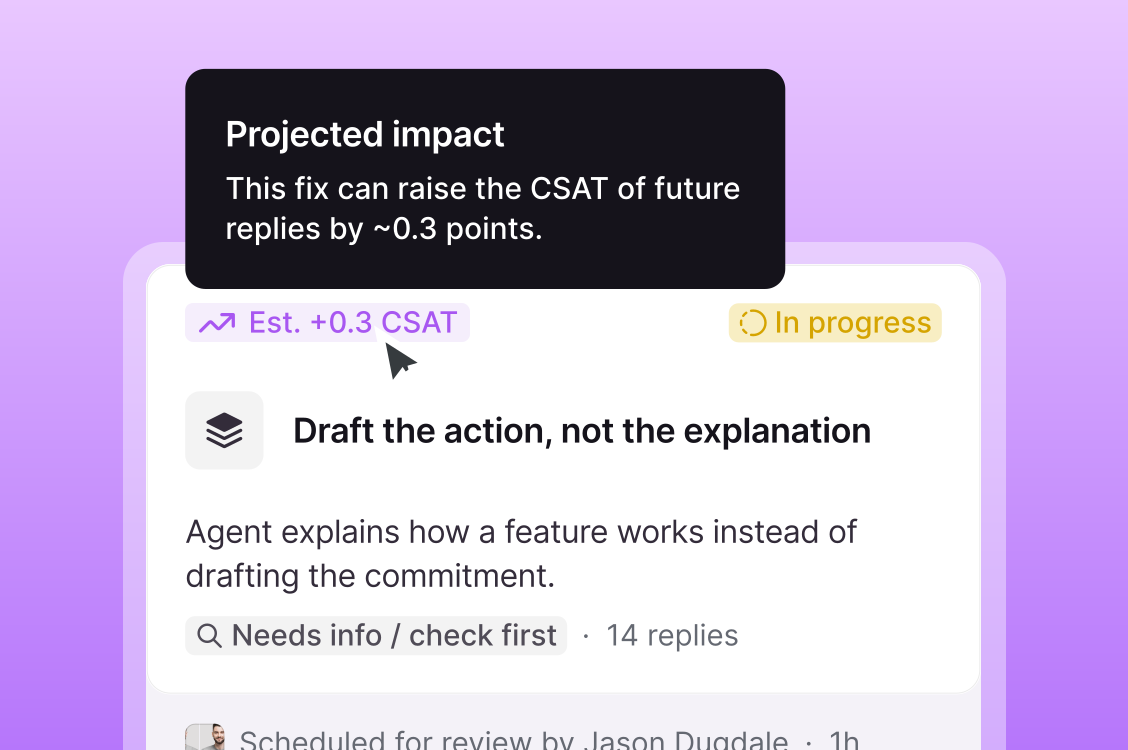
I proposed showing each fix’s projected impact, so admins could prioritise by outcome and not just by reply volume. Customers showed strong interest in calls, and Eng was on board.
what shipped
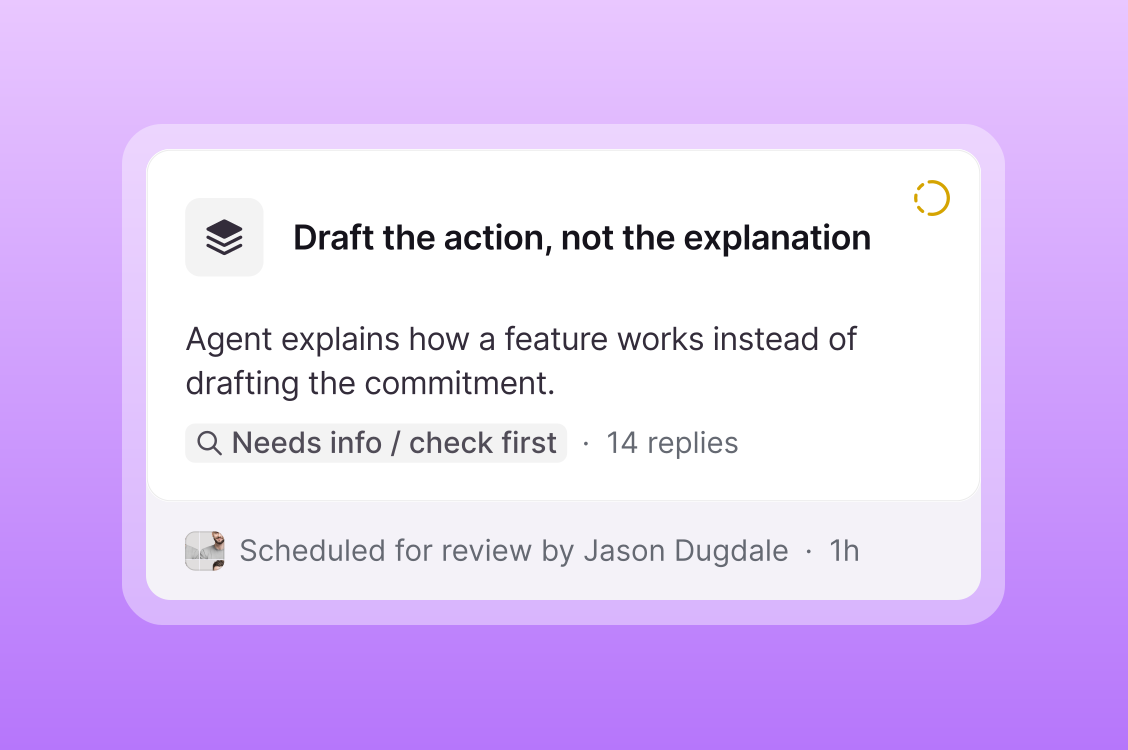
When Eng dug deeper, technical constraints made it too costly for V1 and even for V2. We shipped the card without it and kept projected impact on the roadmap for a later release.
From author to reviewer
starting point
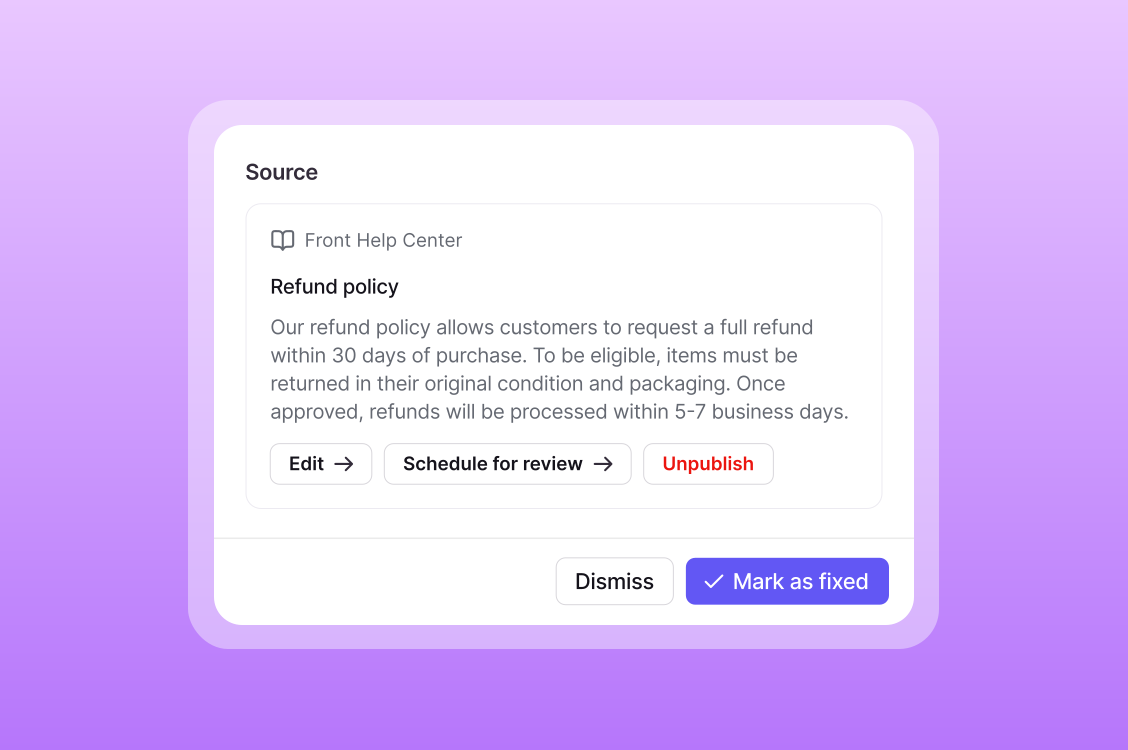
V1 shipped first, as a stepping stone. It showed admins what wasn’t working, but diagnosing each issue and writing the fix was still on them.
what shipped
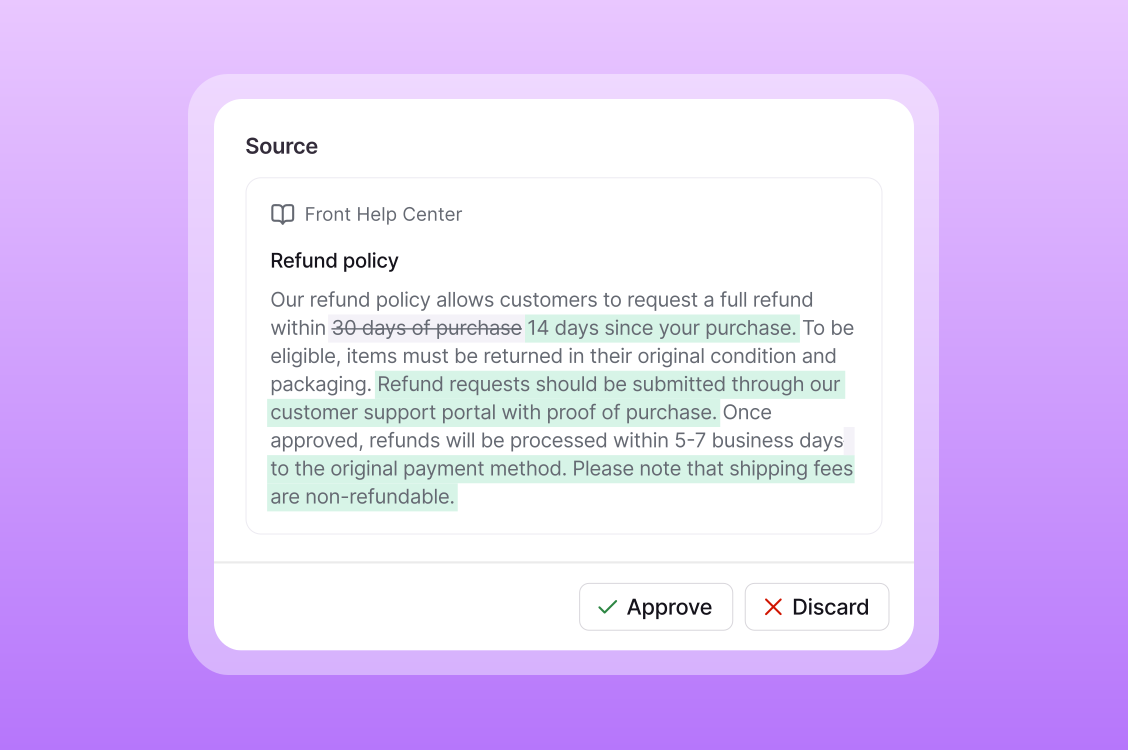
V2 was the goal from day one: Front’s AI drafts every fix, and admins just approve or discard it. Their job went from doing the work to reviewing it.
Craft
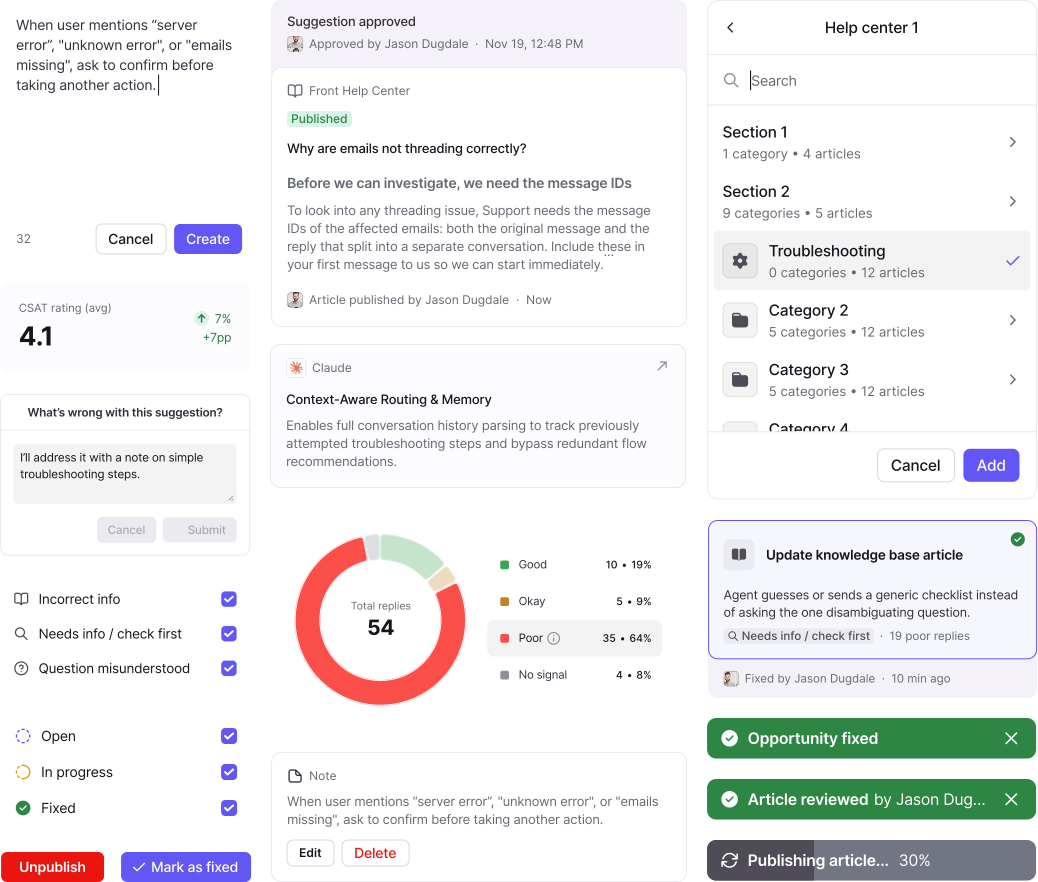
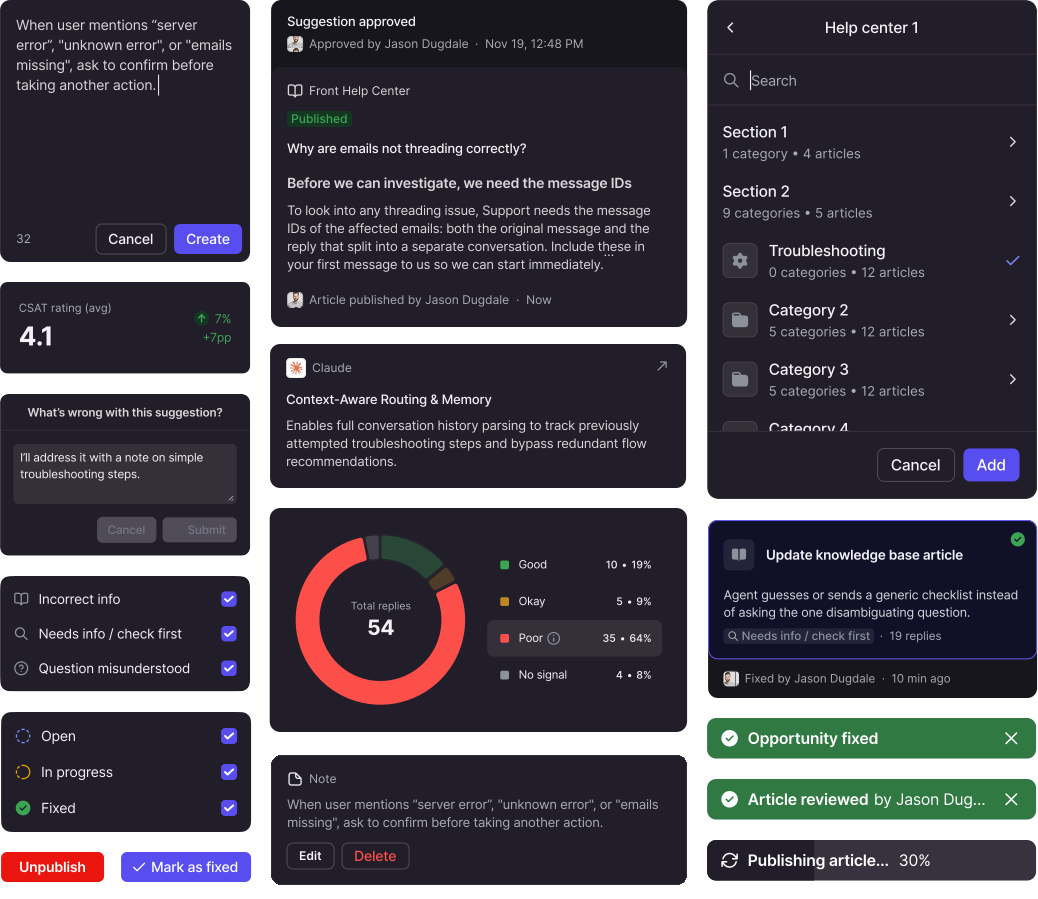
UI components
Impact
Results four weeks after launch
resolution
+13pp
AI answers resolution rate (26% → 39%) for accounts acting on opportunitiesGoal: +10pp
autonomy
+4pp
fully autonomous AI agents (15% → 19%)Goal: +15pp
accuracy
90%
of AI-suggested fixes approved as is (across the ~50% of opportunities admins acted on)Goal: 75%
Adoption
212 admins
across 140 accounts, 15 of them Enterprise
Business
1 deal
closed as a direct result with another in the pipeline
Coverage
85%
of all AI replies with quality and performance insights
Learnings & thoughts on what's next
- Fixes made agents more effective: resolution went up for accounts acting on opportunities. But trust didn’t grow as fast. The share of agents on auto-reply barely moved, so getting admins to let go needs more digging and iteration.
- Admins only acted on the highest-impact opportunities. Projected impact, the feature we parked, could help: it would show the value of a fix, and give admins proof that every fix pays off before they trust the agent to reply on its own.
- A large set of users preferred to explore their data and manage agents via MCP, so the next logical step is making the repair loop fully available where they already work, not just in the UI.
- This Agent Performance phase covers mostly support agents, but it doesn't account for Triage agents. A logical next step to broaden the scope of this feature would be to make triage agents fit in, making sure the layout and fix workflows adapt well.

Agustin Federovisky · 2026
Designed & coded in-house