Front Telephony
Scaling voice: from beta MVP to $1.1M pipeline.
Company
Front
Duration
3 months
Team
Primary channels
Year
2025
tl;dr: Teams already ran their support in Front, but phone calls lived in a separate telephony app, so agents kept jumping between tools and voice deals fell through. I designed Front's voice experience end to end: first a light beta MVP for inbound calls, then a full multi-provider ecosystem with outbound calling, voicemails, call recordings and AI summaries, all inside the inbox.Within three months of rollout, we achieved:
$1.1M
pipeline generated in qualified sales opportunities
262
paid customers, up from 4 beta testers (65x)
4x
provider coverage, supporting the top 4 telephony suites
about front
The AI-first customer operations platform
Front is an AI-powered customer operations and shared inbox platform that unifies customer communications (email, SMS, live chat, social media and voice) into a single collaborative interface, using automated workflows and AI to route and resolve complex customer requests.

Team & role
Sole designer on a new product line, from strategy to launch
The team








My role
- Shaped rollout strategy with Product & Eng
- Led the research phase that defined the ICP and MVP scope
- Set the product direction with Product
- Built voice components into Front's DS
- Designed launch marketing assets
- Set the quality bar through reviews, critiques & QA
Business opportunity
Unlocking Front's share of voice
Voice: the missing channel
Around 35% of global customer support still happens over the phone. Front already covered email, chat and messaging, the other 65%, but voice was the one major channel not covered.
For teams that run a big share of their support on calls, that meant handling phone conversations outside Front, away from the rest of their customer history.
Every call that happened in a separate tool was a conversation the team couldn't assign, follow up on or report on alongside the rest of their work.
- Voice35%
- Email, chat, messaging65%
Market gap
Phone-heavy support teams couldn't fully move to Front, capping how much of their workflow it could own.
Sales barrier
High-value prospects disqualified Front early on because it lacked a true omnichannel solution.
Growth catalyst
Integrating voice removes adoption friction and unlocks enterprise accounts.
Discovery research
Many customer calls, one clear feature set
Shannon, our PM, and I ran several customer calls to understand what teams expected from voice in Front. I built a happy-path prototype to walk them through what we had in mind, so we could contrast it with their own expectations and learn which features were nice-to-haves and which were deal-breakers.
Cross-checking that against the technical spec engineering was drafting gave us the clarity to prioritize the feature set and outline a realistic roadmap.
The FigJam board we used during customers conversations to test hypotheses, and validate features with a detailed POC prototype.
ICP
Mid-market, high-velocity operational teams that already rely on Front for support, but lose time, focus and cross-collaboration to phone calls happeniing outisde of Front on third-party voice suites.
Company size
Mid-market (50–500 employees), with support or operations teams of 10–50 agents.
Verticals
Logistics, fintech, B2B SaaS and tech support, e-commerce and retail.
Core pain points
Agents constantly switching between Front and their voice provider, and no centralized metrics to track omnichannel performance.
Tech stack
Already using telephony suites like Dialpad, Aircall, Zoom and RingCentral.
Learnings
Customer conversations gave us a clear picture of what teams expected from voice in Front, from the controls they couldn't work without to how they set up and track their calls. These findings became the baseline for the MVP scope and the GA feature set.
- Call controls Mute, hold and direct transfers are non-negotiable baseline features.
- Inbound call visibility Power users need to toggle or filter incoming call pop-ups, so active agents aren't interrupted.
- Transfer pathways Support workflows need to transfer calls both to specific teammates and to external numbers.
- Missed call tracking Missed calls and voicemails must be instantly visible, so teams can get back to customers.
- Outbound entry points Agents expect to start a call by typing a number, from a contact, or right from an existing conversation.
- Caller ID Teams need to choose which of their numbers to call from, based on who they're calling.
- Centralized call assets Recordings, voicemails and transcripts in the conversation remove manual note-taking and speed up handoffs.
- Scalable channel setup Mid-market companies manage dozens, or hundreds, of numbers, so they need a bulk-connect setup flow.
Strategy
Build an MVP, learn, then scale
Instead of building a full telephony suite upfront, we started with a light MVP to validate adoption and uncover technical and usability gaps with a few customers, then expanded it into a multi-provider ecosystem for the broader customer base.
Phase 1
Beta MVP
A light incoming-call MVP to validate adoption and uncover technical and usability gaps early.
1
integration
4
beta testers
Phase 2
Scale & monetize
A full multi-provider voice ecosystem, with seamless workflow automation and enterprise stability.
4
fully integrated providers
262
paid customers
Launch roadmap & release strategy
Balancing user needs with technical feasibility, we defined a phased rollout that built toward enterprise scalability.
MVP
Core functionality to test with a small group of early beta testers.
- Inbound calls only
- Basic call actions: end call, open the provider's app, go to conversation
- AI-generated call summary
- Missed calls
- Call back, without a dialer
GA
Polish, parity features and broad market readiness for all customers.
- Outbound calls, via a dialer
- Advanced actions: transfer, mute, hold, keypad
- Queued calls
- Voicemails and voicemail transcripts
- Fully integrated analytics
- Multi-channel management
- More outbound entry points, like calling from a contact
- Provider ↔ Front agent status sync
Post-GA
Expanding to more functionality, customers and voice providers.
- Voice AI agents
- IVR built into Front's engine
- Multi-agent calls
- Native Front voice calls, powered by Twilio
Explorations
Anchored in jobs to be done
For every stage and feature, I set the design direction and pressure-tested it from three angles: pros and cons with the main stakeholders, critique from the design team in design reviews, and live sessions with customers, where we tested every flow before committing to it.
the solution
Voice, built into the inbox
Pick up inbound calls and manage active ones
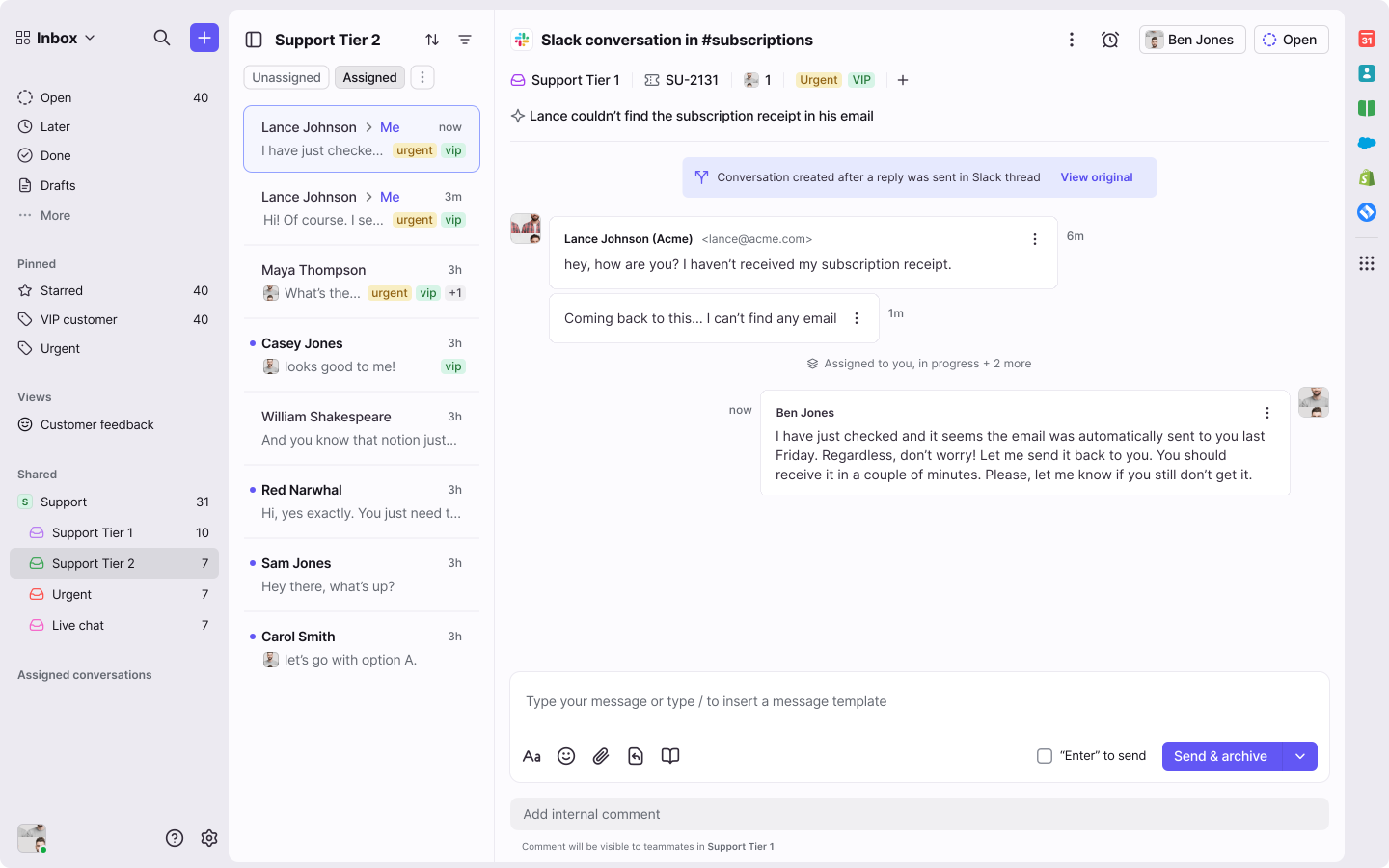
Agents are rarely on the conversation a call belongs to. The call banner follows them through the app, so they can answer, transfer or put a call on hold without leaving what they're working on.
One dialer to rule them all
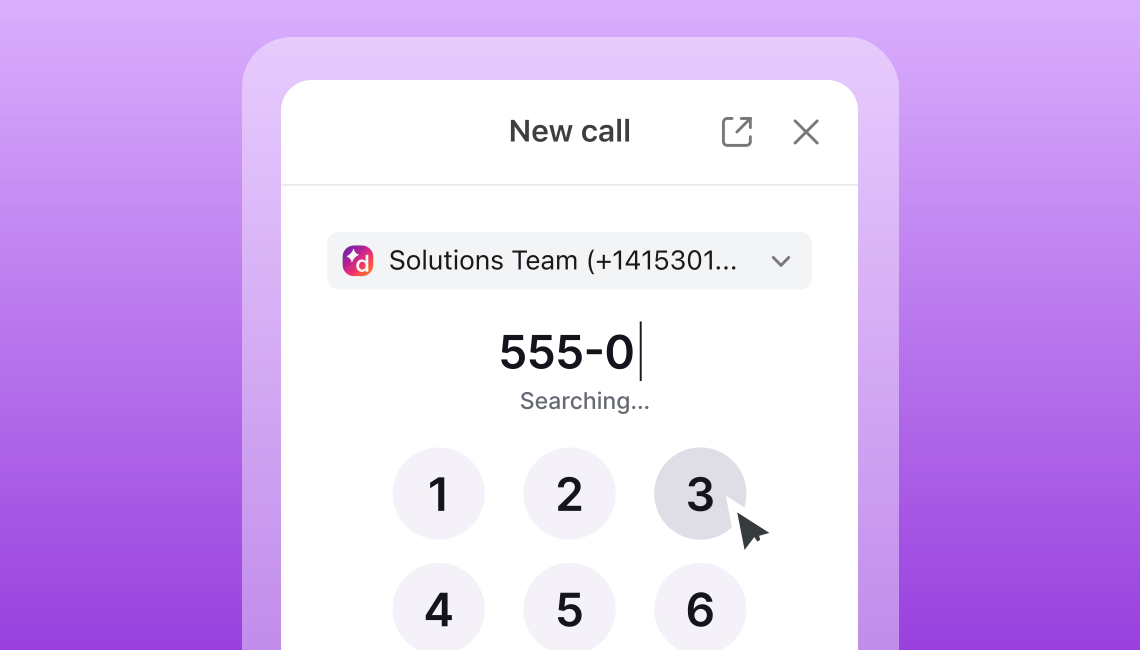
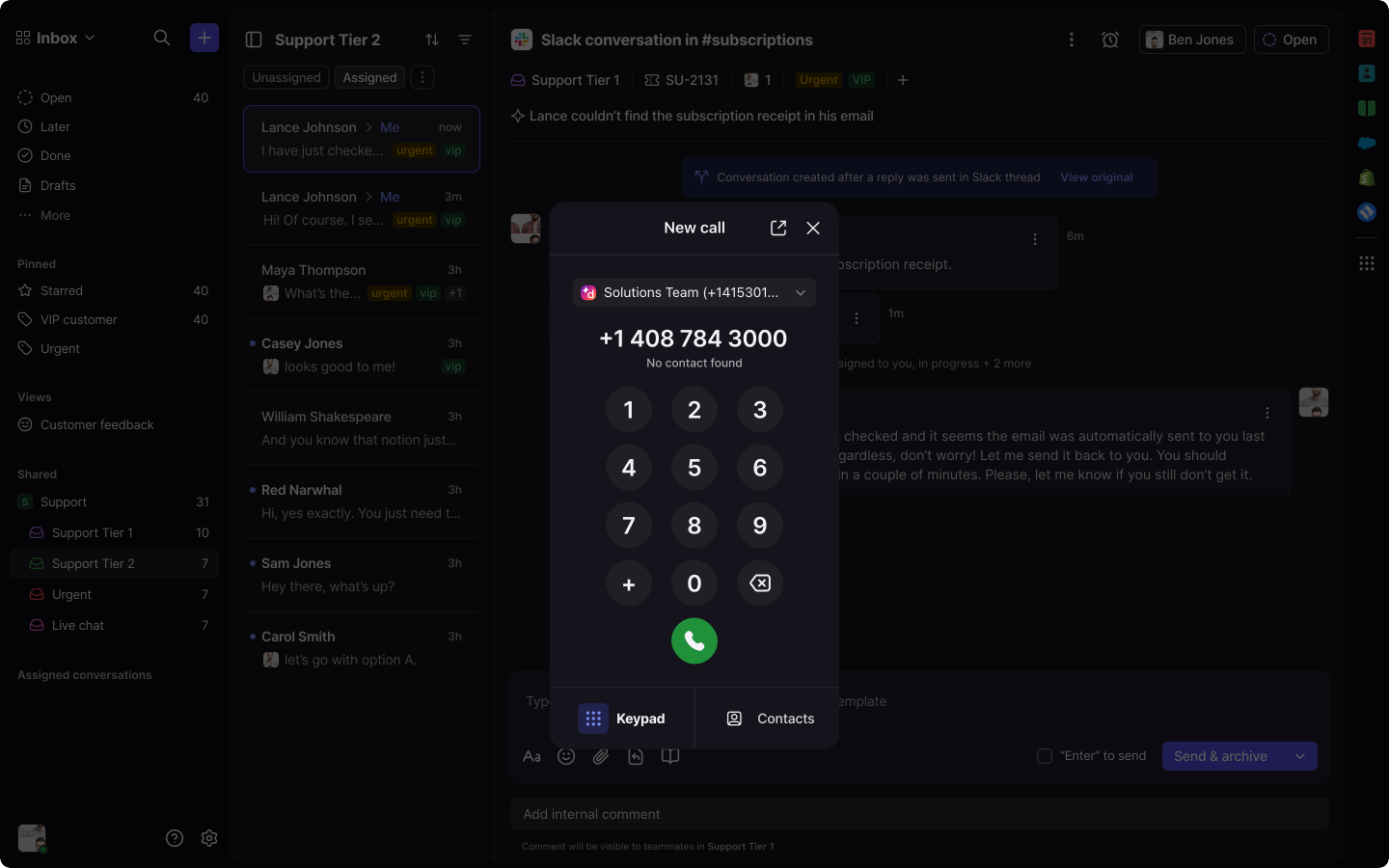
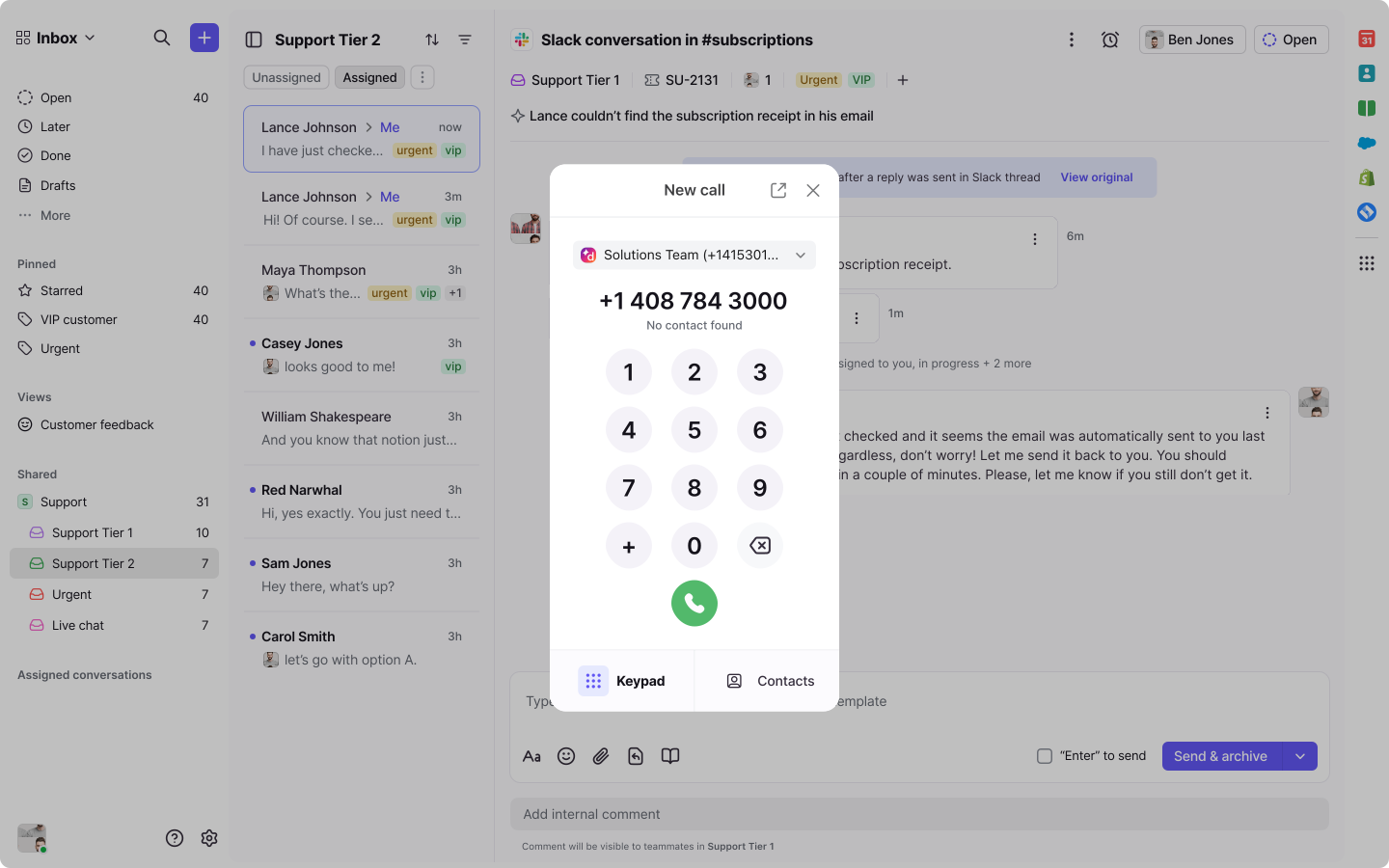
I designed a new phone dialer from scratch. Agents can call a new number or an existing contact, and choose which number to call from when the team has several outbound numbers in Front.
The dialer acts as the primary feature for outbound calling.
Agent status, synced with the provider
When an agent is on a call, their status in Front automatically switches to "busy", so they can focus on the customer.
Call recordings and AI summaries in the inbox
Once a call ends, the recording and an AI-generated summary are added to the conversation, giving agents the full context without leaving the inbox.
Missed-call voicemails, always at hand
A call that goes unanswered doesn't disappear. It stays in the conversation list as a missed call, and if the caller leaves a voicemail, the recording and its transcript land right in the inbox. Agents can listen to it or skim the transcript, then highlight the part that matters and comment on it, mentioning a teammate to loop them in without ever leaving the conversation.
I designed full playback controls for call recordings and voicemails: play and pause, a progress bar you can drag or click anywhere (with a preview of where you’ll land), 10-second skips and playback speed, each with its own tooltip.
key decisions
Pushing past the easy answer
Telephony touched some of Front's most-used surfaces, and a few calls shaped how it felt to use. In each of them, I pushed product and engineering past the simplest option and led through cross-collaboration with other teams.
A compose button with room for calls
starting point
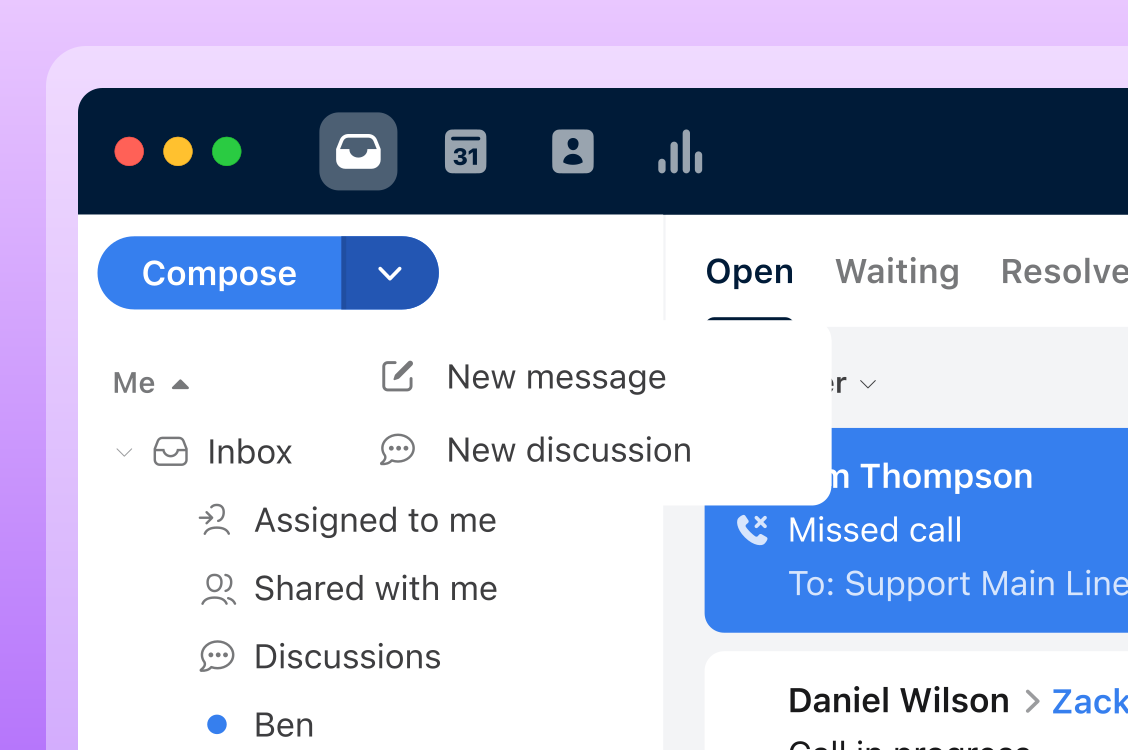
Front's global "Compose" button, the same pattern the old inbox UI had used, opened a menu with New message, New discussion and New task. Calls didn't fit in the label or in the list, and adding "New call" would have hidden voice behind a button that, by its name, was about writing.
what shipped
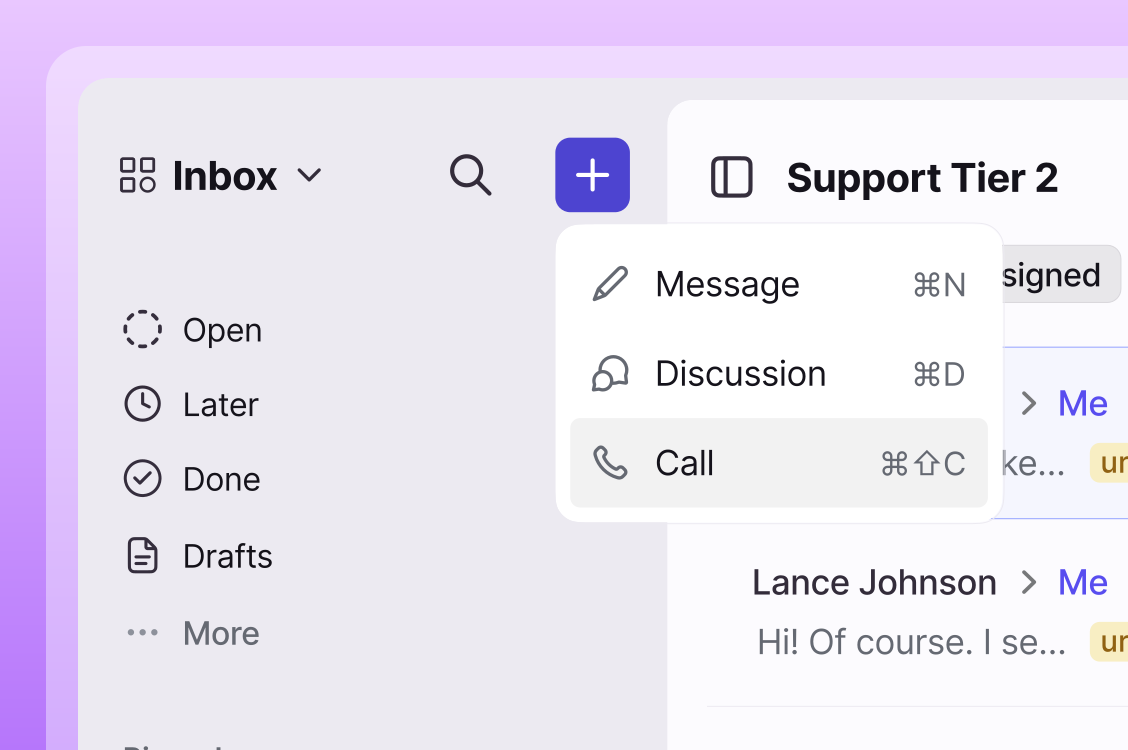
I crafted this alongside the CPX team, who were updating the inbox UI and experience at the time. Together, we replaced the label with a single "+" and rewrote every option to stand on its own: Message, Discussion, Call. Calls got a place in the action every agent uses many times a day, so even teams who had never tried voice saw it each time they started an email, which made it the natural place to upsell voice.
An upsell users could actually taste
starting point
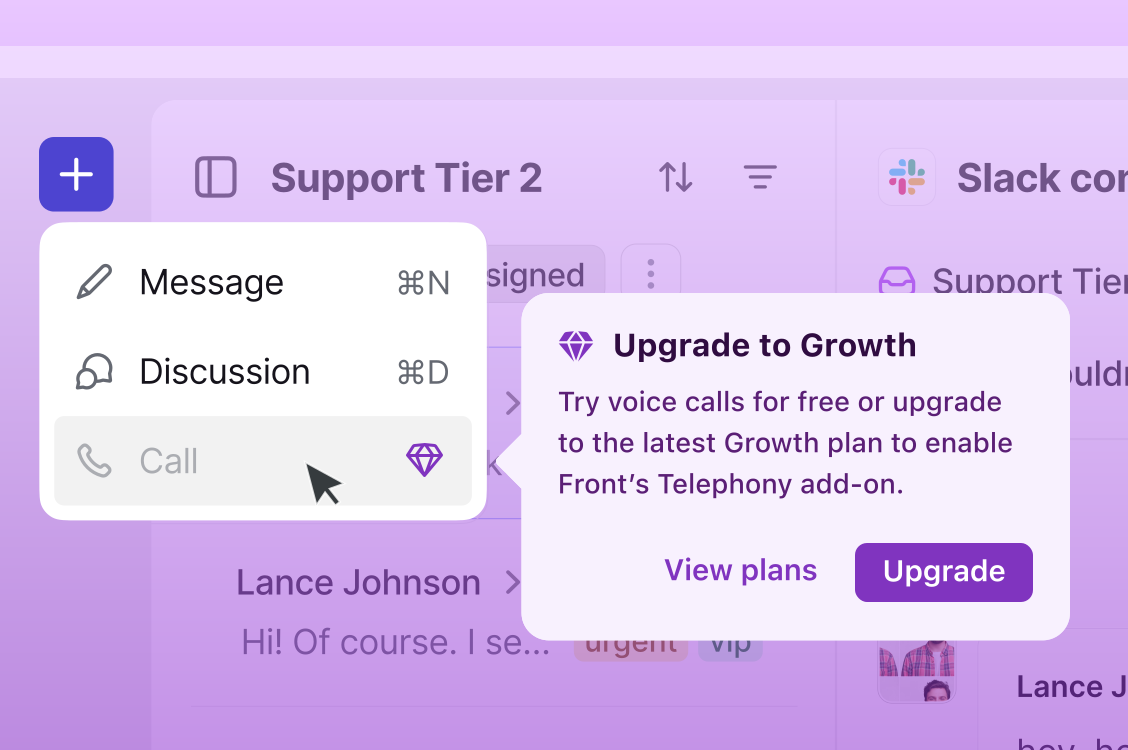
Upsell for calls was mostly tied to other entry points, like calling an existing contact. For the global composer, Product pushed for the simplest option: show Call disabled, with an upsell pill next to it. Agents on plans without voice would see it, but couldn't do anything with it.
what shipped
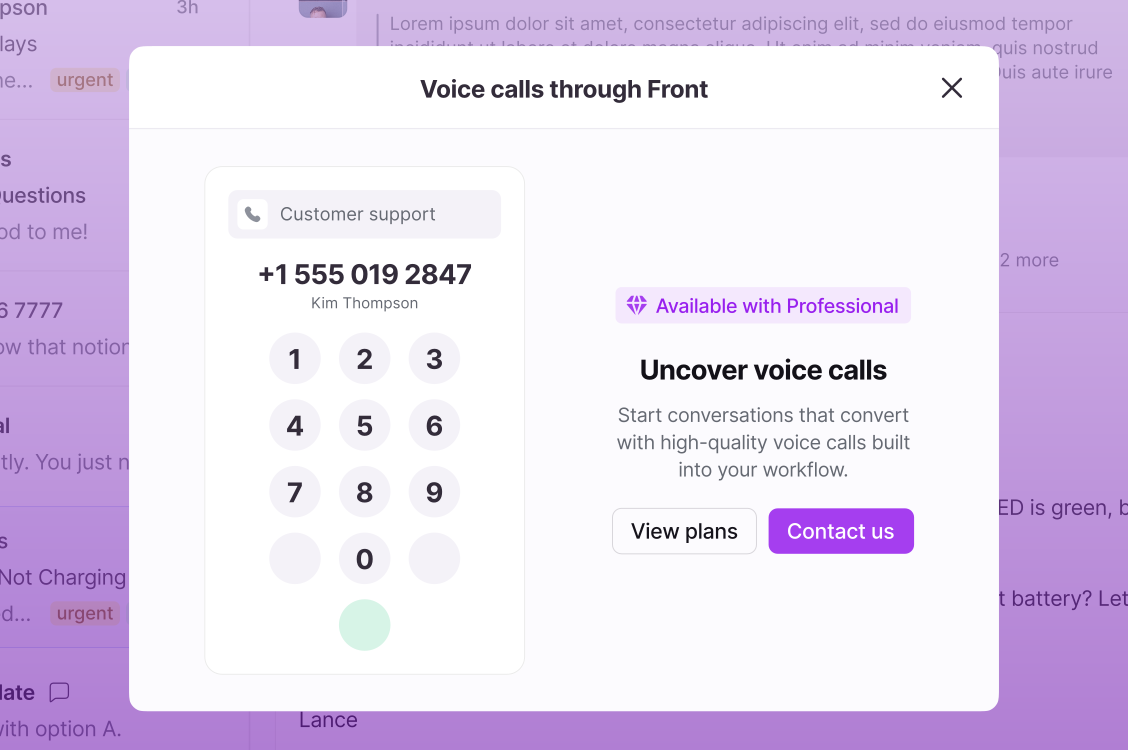
I led the upsell strategy for the global composer and pushed to keep Call clickable. Clicking it opens an upsell modal designed specifically for it. Upsell modals didn't exist anywhere in Front's suite until then, so I led that work too. It's what drove 10x more upsell than our other upsell dynamics.
Contacts, right inside the dialer
starting point
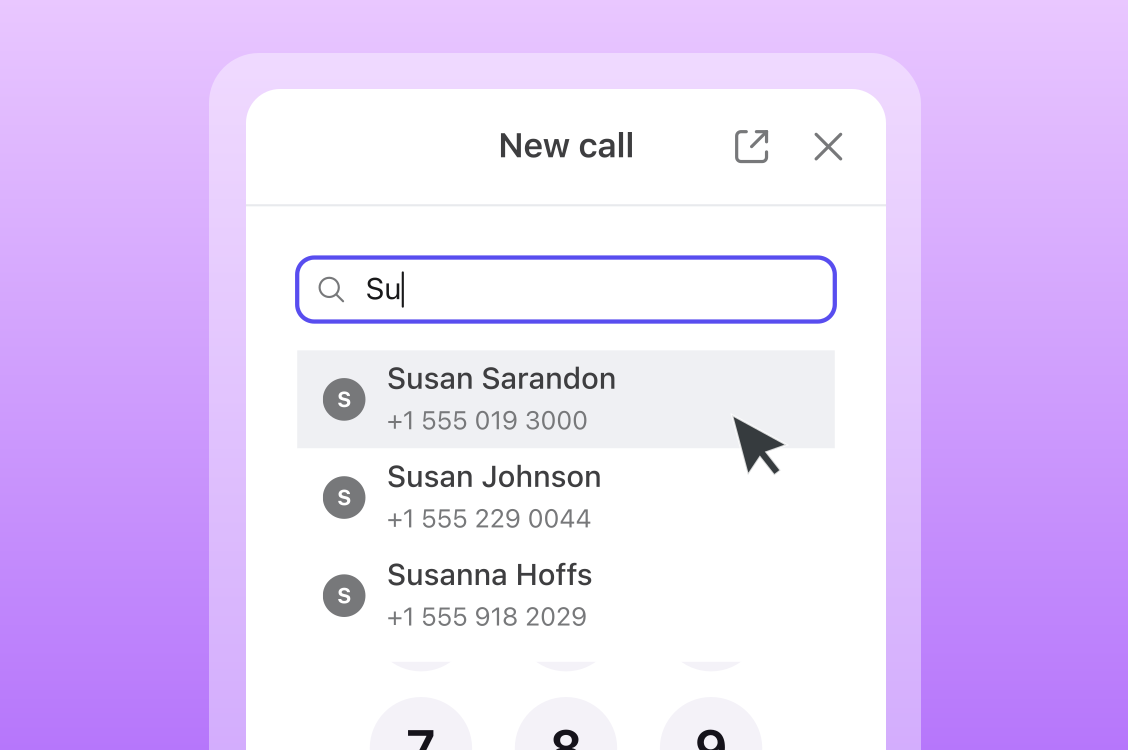
Product and engineering leaned toward the leanest options. One was to leave contacts out of the dialer, since Front already has a robust contacts section in the side panel. The other was a simple search bar above the number field. The first meant jumping back and forth between two areas of the app to place a call. The second felt bolted on and disconnected from the rest of the dialer.
what shipped
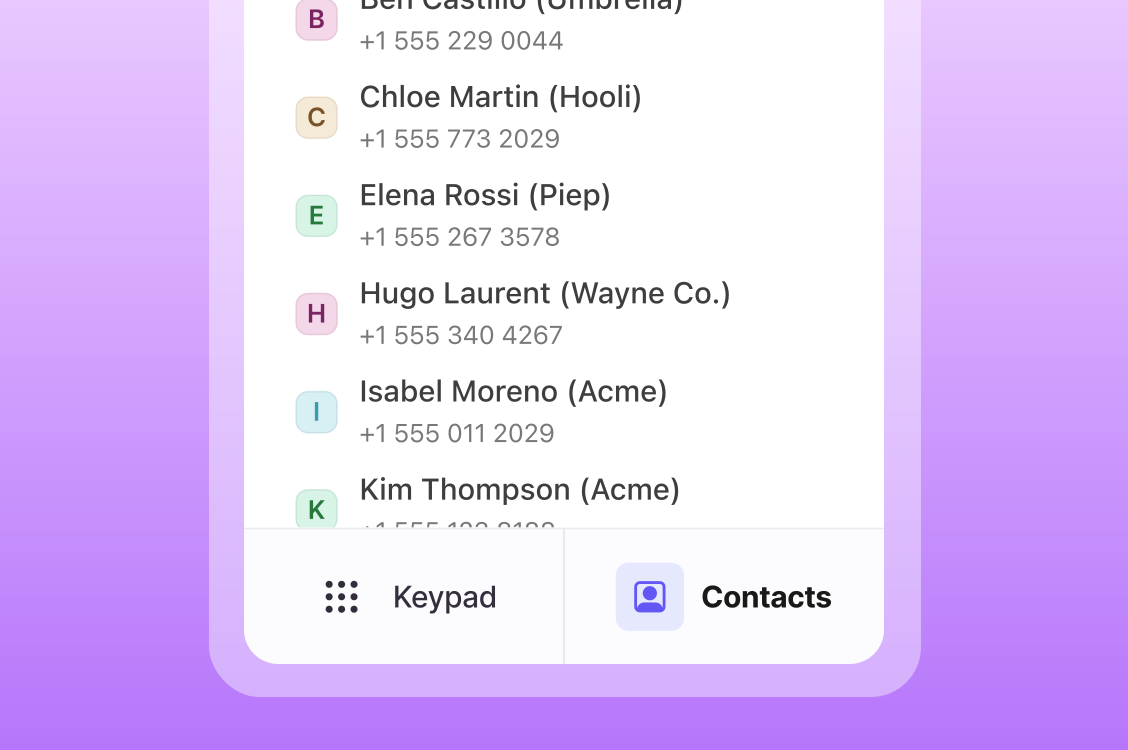
I pushed for two tabs in the dialer: Keypad, the default, and Contacts. Agents can browse and search their contacts without ever leaving the dialer, so calling a raw number and calling someone already in Front happen in one place, with one flow.
Craft
A telephony library built to last
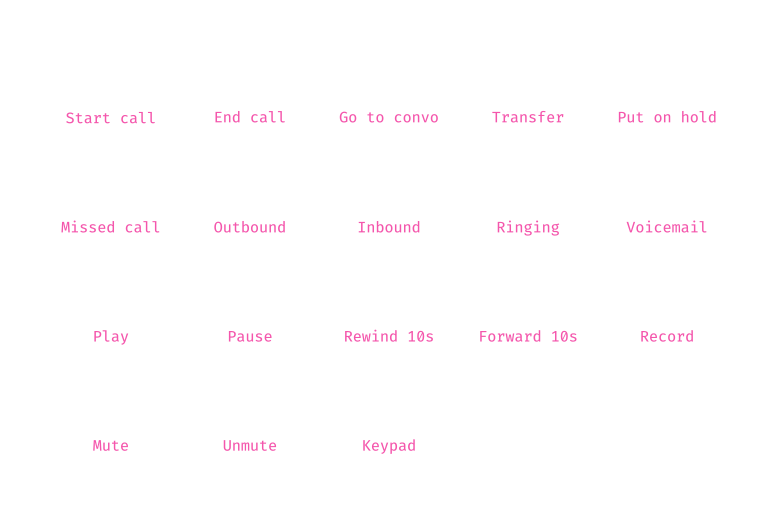
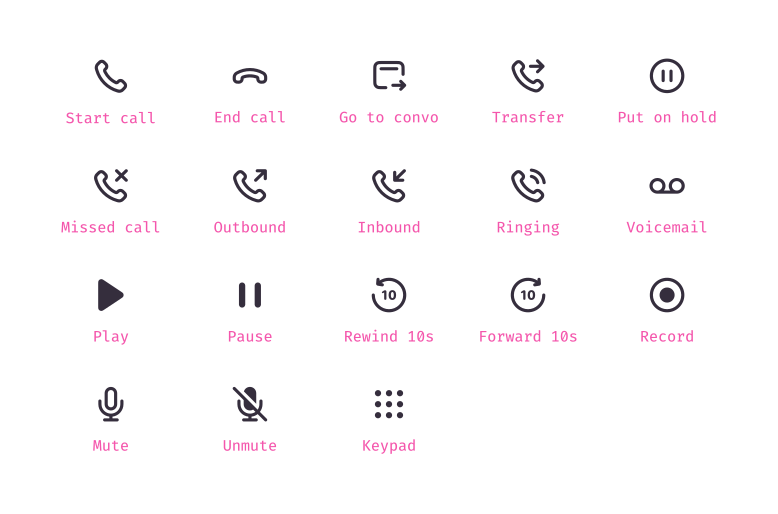
A new telephony icon set
I added a set of telephony-specific icons to Front's design system, from call and transfer to hold, voicemail and keypad.
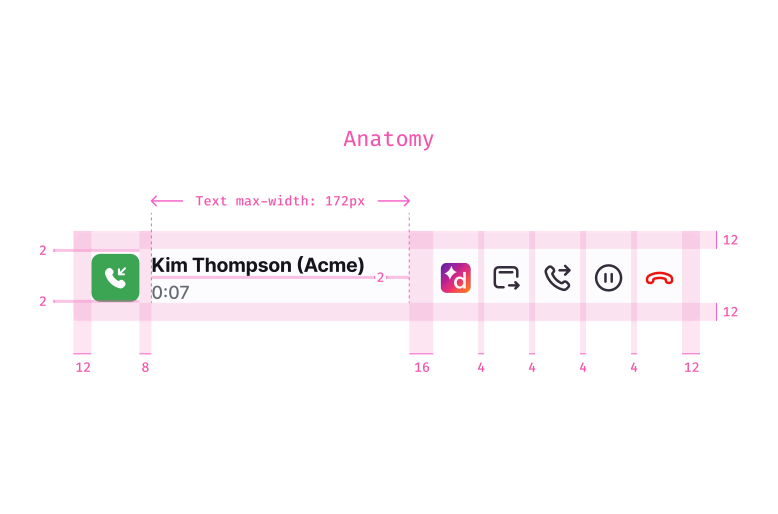
Design system documentation
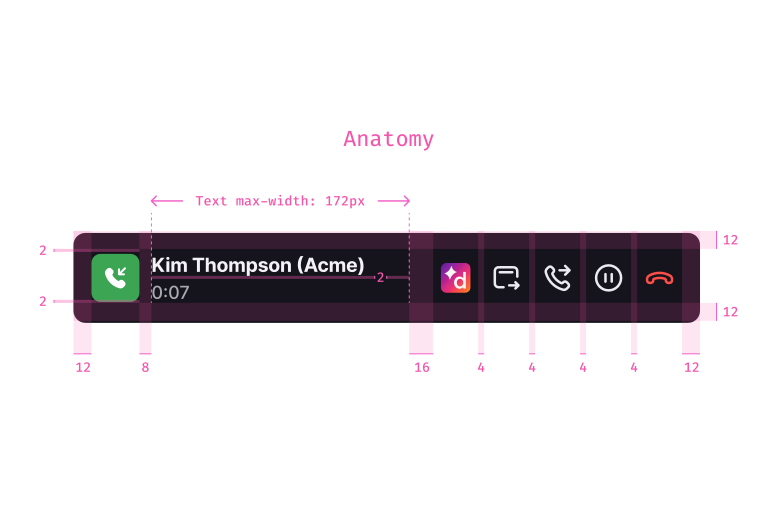
A full set of new telephony components, documented with their anatomy, modes and states for engineers to build from.
Motion
I designed a detailed set of motion assets and interactive prototypes, so engineers could get a thorough sense of every flow and micro-interaction. I built some using Figma Motion and others trying out Claude's motion capabilities.
Building the call banner's transitions in Figma Motion: custom easing curves and timing for each state change.
Theming & accessibility
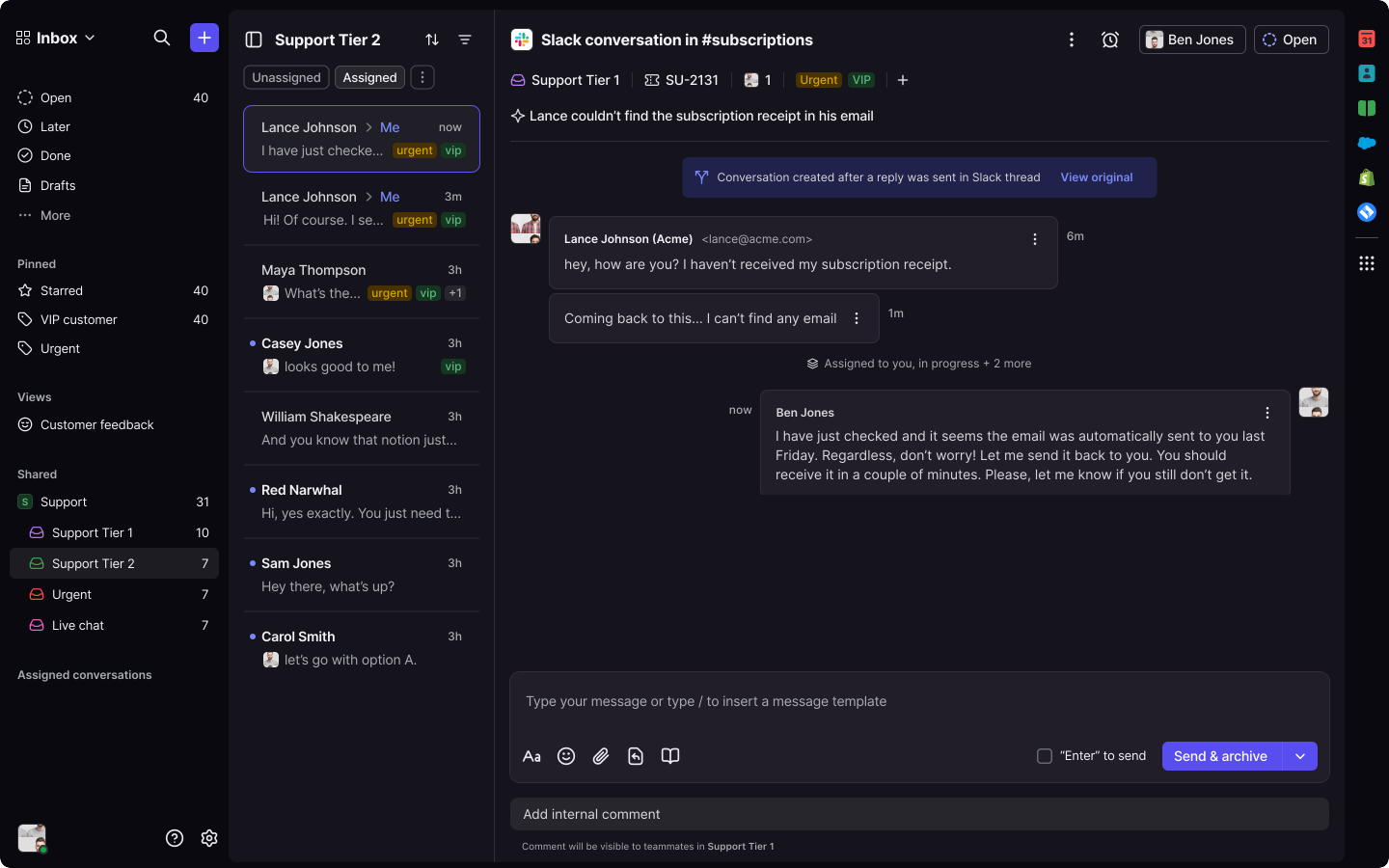
Every component meets WCAG 2.1 standards and works in both light and dark mode.
Launch
A launch campaign across every touchpoint
I designed the launch campaign with Caroline, our PMM: emails to different customer segments, in-app announcements, a product-release blog article and detailed Help Desk articles.
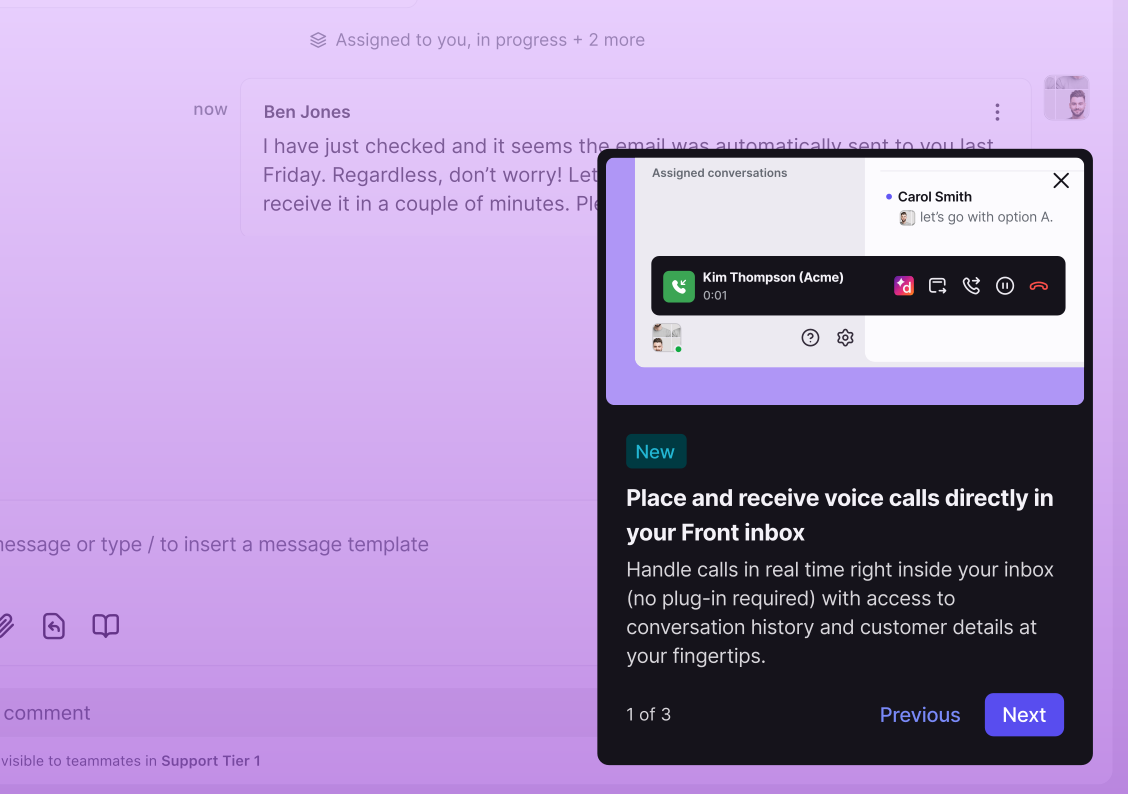
In-app communication to existing customers.
Telephony featured in the May 2025 product release blog article.
Impact
Results 3 months after rollout
pipeline
$1.1M
in qualified sales opportunities created within the first 3 months of rollout
acquisition
262
paying accounts and counting, up from 4 beta testers
coverage
4x
provider coverage, broadening the addressable market with the top 4 telephony suites
Learnings & thoughts on what's next
- Telephony is just as complex for design as it is for engineering. A call isn't a flow with a start, a happy path and an end. It's a state machine: ringing, connecting, live, on hold, transferring, ended, missed, voicemail, and it can jump between those states in almost any order, often triggered by the caller, a teammate or the provider and not by the agent. Each state also shows up in several places at once, from the call banner to the conversation list and the call card, and what we could show depended on what four different providers' APIs exposed. That's why I designed the system before the screens: every state, transition and edge case mapped with engineering first, then built into components that carry them everywhere.
- The AI stage that didn't ship: I shaped what came after GA, voice AI agents and an IVR built into Front's engine, but it was deprioritized. The next logical step would be to build a native call center architecture, with AI agents taking voice calls right in Front.
- Several customers reported using Twilio's voice suite, which wasn't an available integration in Front. After doing some research, we learned that Twilio didn't support a CTI, which meant Front had to build the entire infrastructure to match Twilio's capabilities 1:1 in order to be able to sell to those customers. Due to the huge design & eng effort, it was deprioritized, but proved a strong next step alongside an AI-first voice suite.

Agustin Federovisky · 2026
Designed & coded in-house